20+ Years WordPress Security Proprietary Site Lockdown Technology
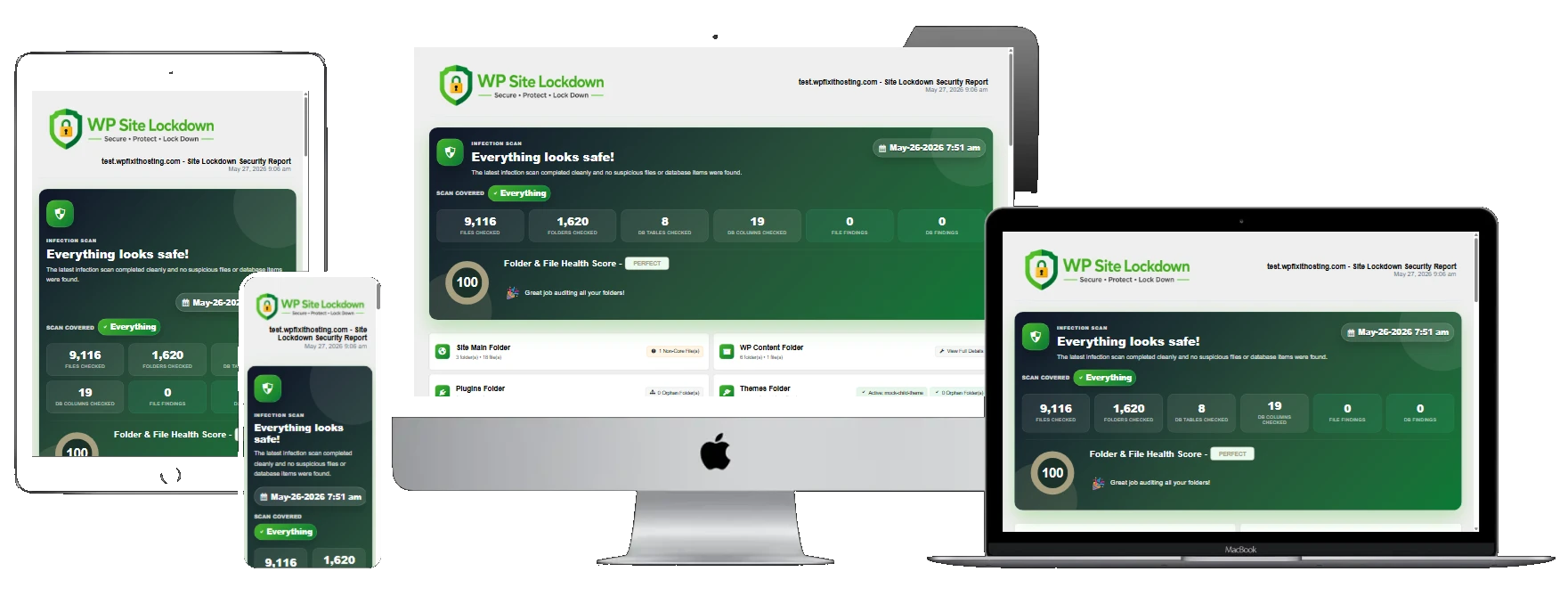
Proprietary WordPress Site Lockdown Technology
Built by the WordPress security experts, Site Lockdown is our proprietary security technology designed to lock down vulnerable areas, protect critical files, and help prevent reinfection after malware removal. This technology can not be found anywhere else.




Trusted by WordPress site owners worldwide
24/7
Site Lockdown Protection
0
Built for WordPress
0
Years of WordPress Security Experience
Security at the highest level
Site Lockdown gives you the highest level of security on your WordPress website

Site Lock (only here)
The “Site Lock” feature provides robust security for a WordPress website by restricting file writing on the server, which serves as a protective barrier against various forms of cyberattacks.
Watch Dog
The “Watch Dog” feature provides continuous security monitoring for a WordPress website by tracking file changes, core integrity, software health, and local risk signals, helping detect suspicious activity before it becomes a larger issue.
Folder & File Editor
Reviews the full WordPress installation by examining core directories, plugin and theme locations, and critical files to identify anything that is misplaced, unnecessary, or not properly recognized by WordPress, helping uncover inconsistencies, leftover artifacts, and potential threats that could impact site stability and security.
User Security
Includes configurable security controls that strengthen WordPress accounts and login processes by preventing unauthorized access, enforcing stronger authentication standards, reducing brute-force attack exposure, and protecting users from common credential-based threats.
Security Headers
Security headers are essential HTTP response headers that strengthen your WordPress site’s defenses by mitigating various web-based attacks and reducing exposure to potential vulnerabilities.
Disable Entry Points
Disabling specific WordPress features is a crucial step in fortifying your website against potential security risks. By turning off these items, you minimize the number of potential attack vectors and code injection vulnerabilities.
Infection Scanner
Runs a comprehensive infection scan across WordPress core, plugins, themes, and directories to identify malicious files, hidden back doors, suspicious code, and unauthorized modifications, helping surface security threats early and streamline the cleanup process.
File Remover
A user-friendly scanning tool that rapidly searches the WordPress installation for specific files, including detecting extension-less files that may indicate suspicious or misplaced content, allowing for simple review or removal without requiring shell access, command-line skills, or complex server tasks.
Plugin/Theme Refresher
This tool replaces existing plugin/theme files with a fresh, official copy from WordPress.org, ensuring file integrity and resolving problems caused by damaged or modified files, while keeping settings intact.
Security Reporting
The security report generated by our Guard Dog Security plugin will provide a comprehensive overview of the site’s current security status, offering valuable insights into both secured aspects and areas requiring further attention.
Automated Reports
You can send a complete security report on an automated schedule, including file change, core change, software health, risk review, and infection scan results, with delivery options available weekly, monthly, or quarterly.
Full White Label Available
Completely white label the entire Site Lockdown software with your own logo, colors, branding, and identity, making it look and feel like your own custom-built solution.

Have Impenetrable
WordPress Protection
Having “Impenetrable WordPress Protection” means
implementing robust and comprehensive measures to safeguard
your WordPress website against various security threats.
implementing robust and comprehensive measures to safeguard
your WordPress website against various security threats.
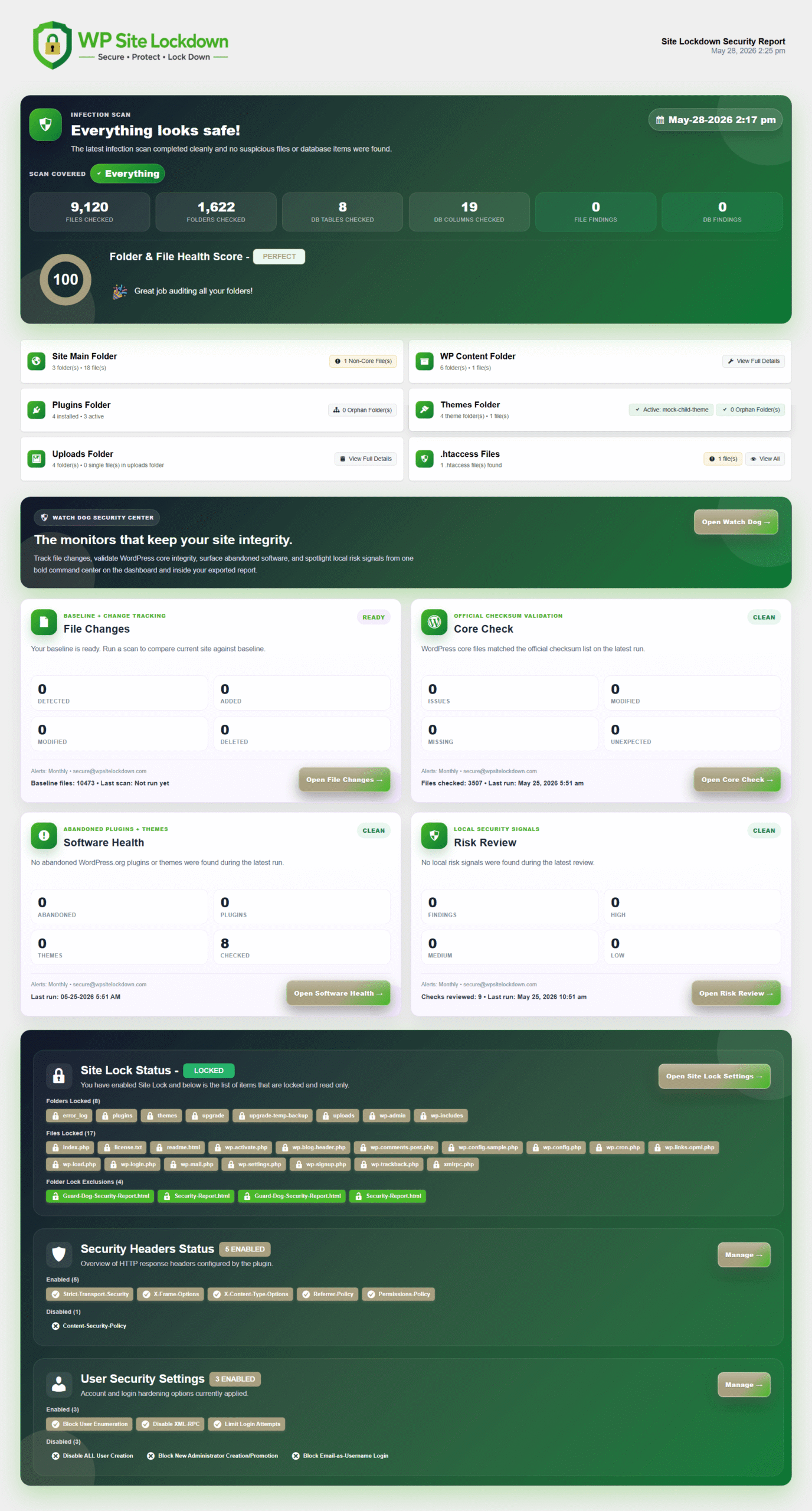
Site Lockdown Command Center
The Site Lockdown Security Command Center gives you a complete, centralized security dashboard for reviewing the current protection status of your WordPress website. From one location, you can see the results of recent infection scans, review file and folder health, check for suspicious file activity, confirm WordPress core integrity, monitor software health, and identify local security risks that may need attention.
This command center brings together the most important Site Lockdown Security features, including infection scanning, Watch Dog monitoring, Site Lock protection, security headers, user security controls, automated reports, and scheduled scan settings.
This command center brings together the most important Site Lockdown Security features, including infection scanning, Watch Dog monitoring, Site Lock protection, security headers, user security controls, automated reports, and scheduled scan settings.
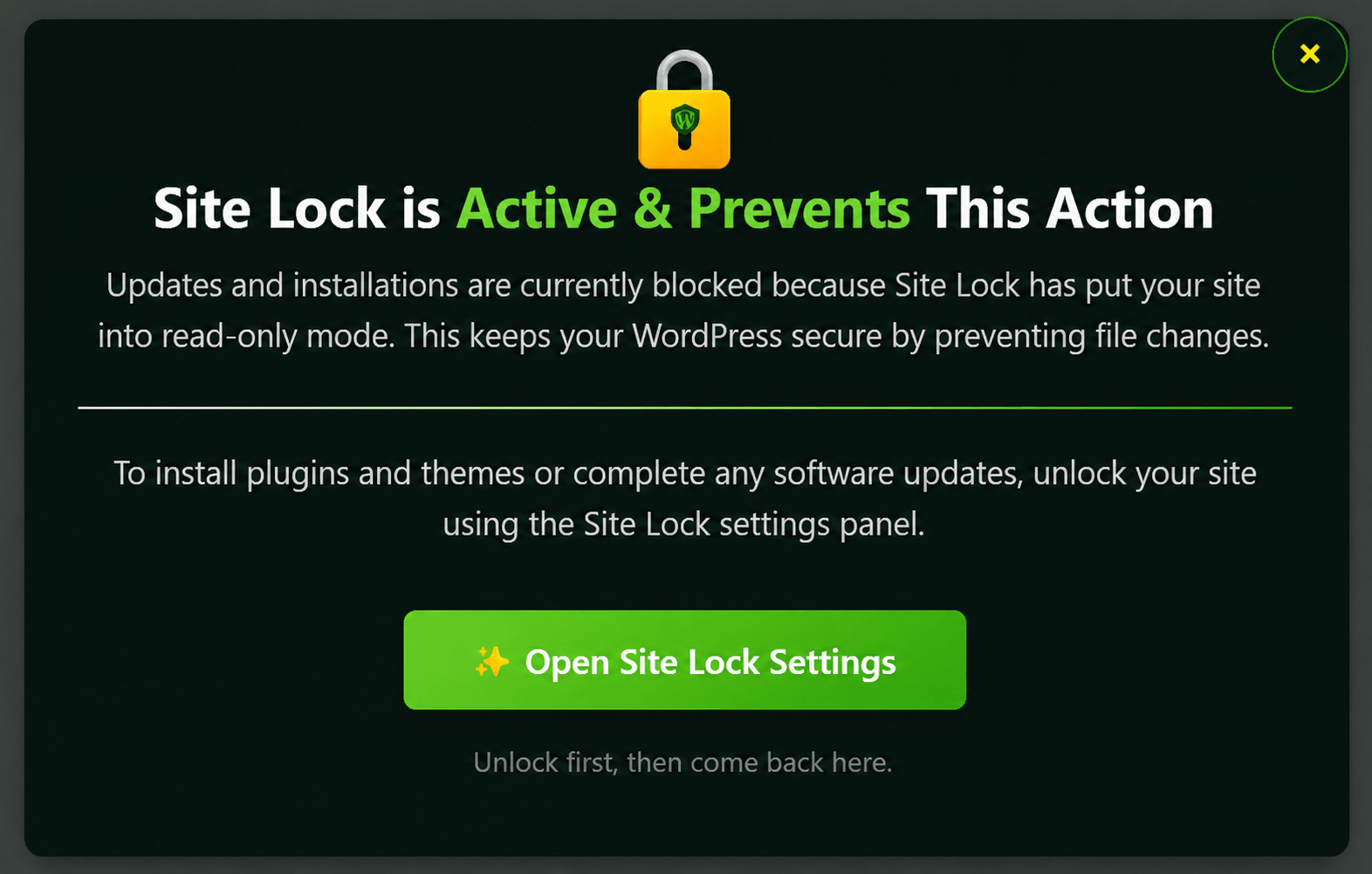
Site Lock Security Feature
This feature restricts the ability to write, modify, or upload files on the server. It targets the critical WordPress folders that are common entry points for malicious activity.
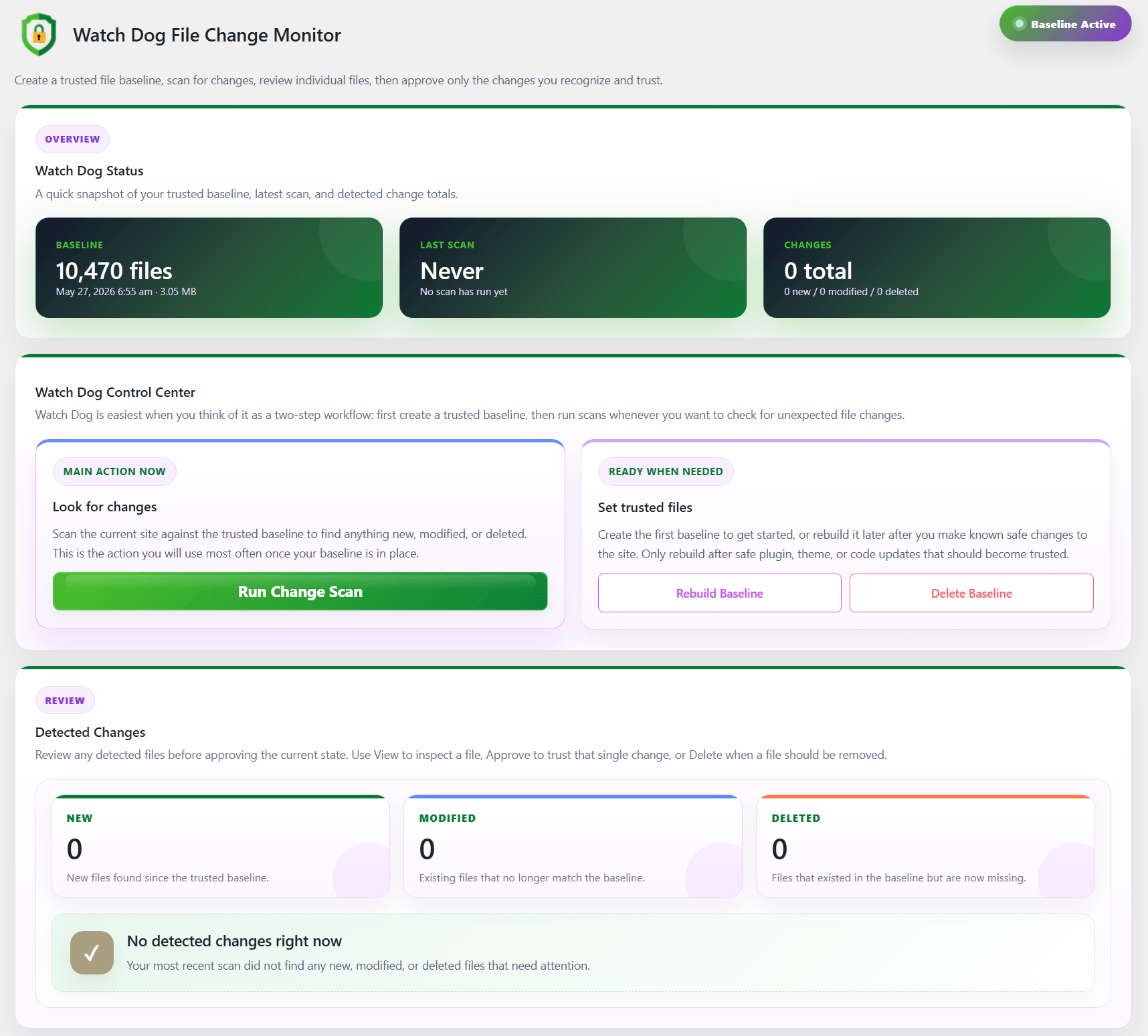
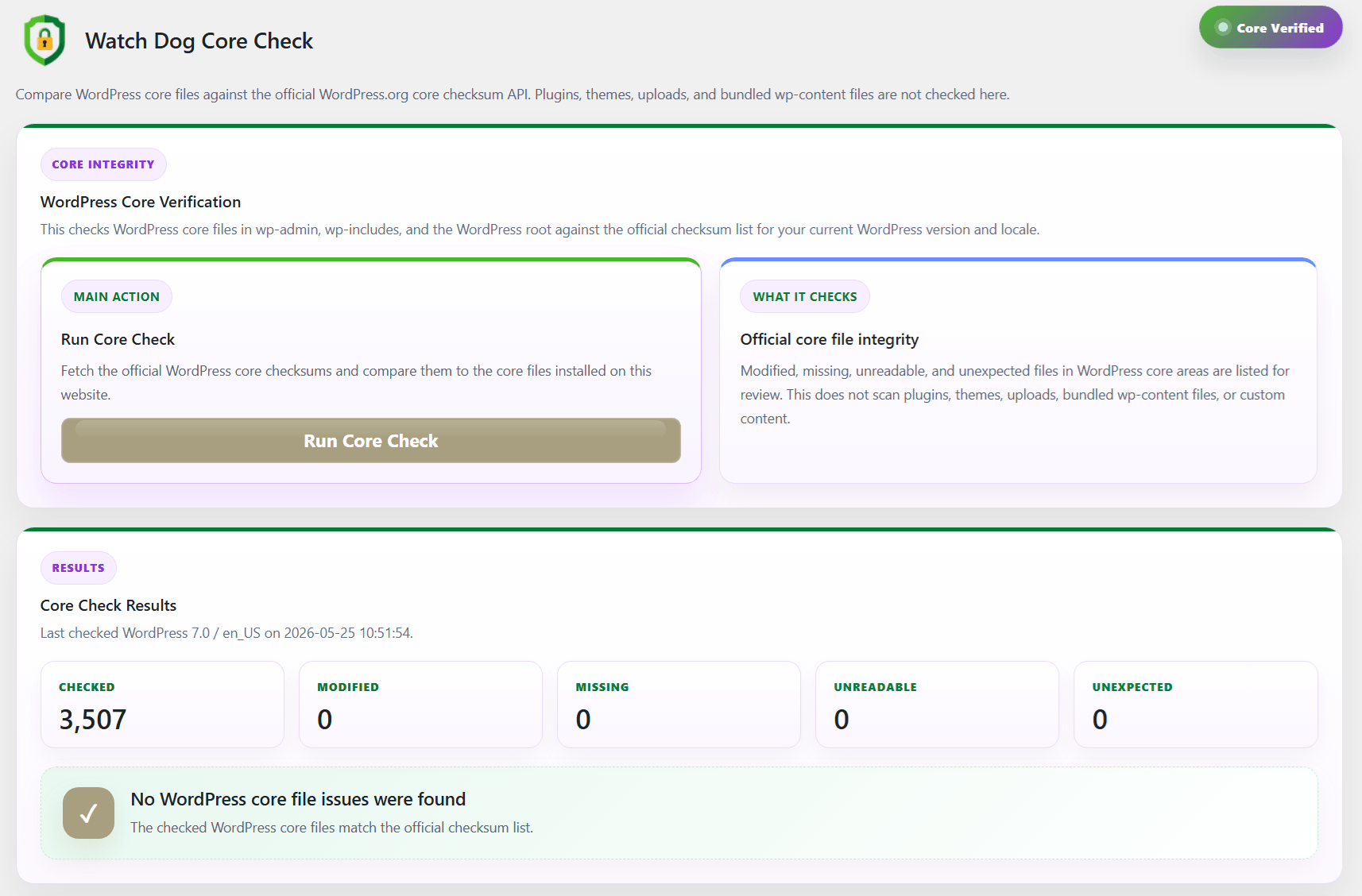
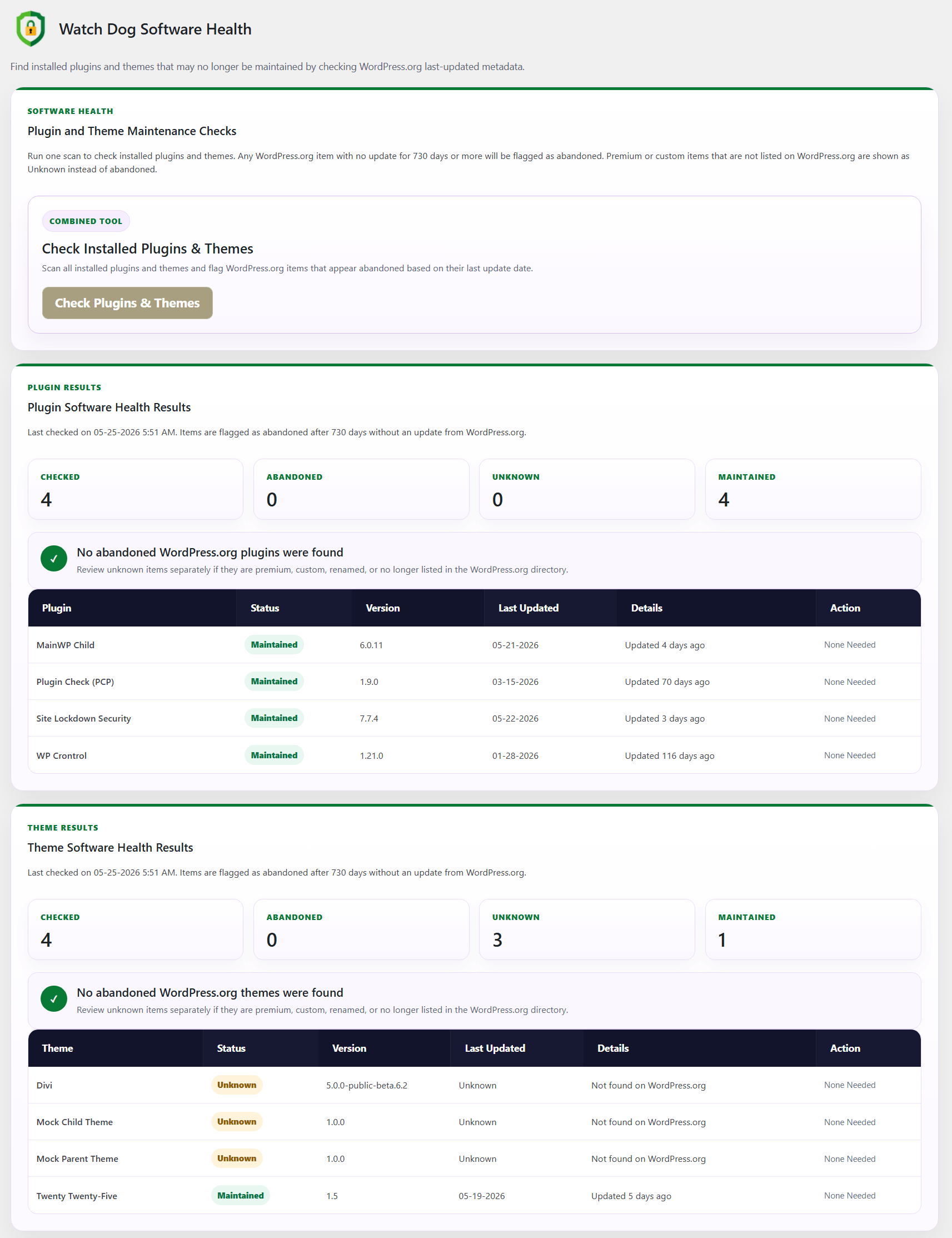
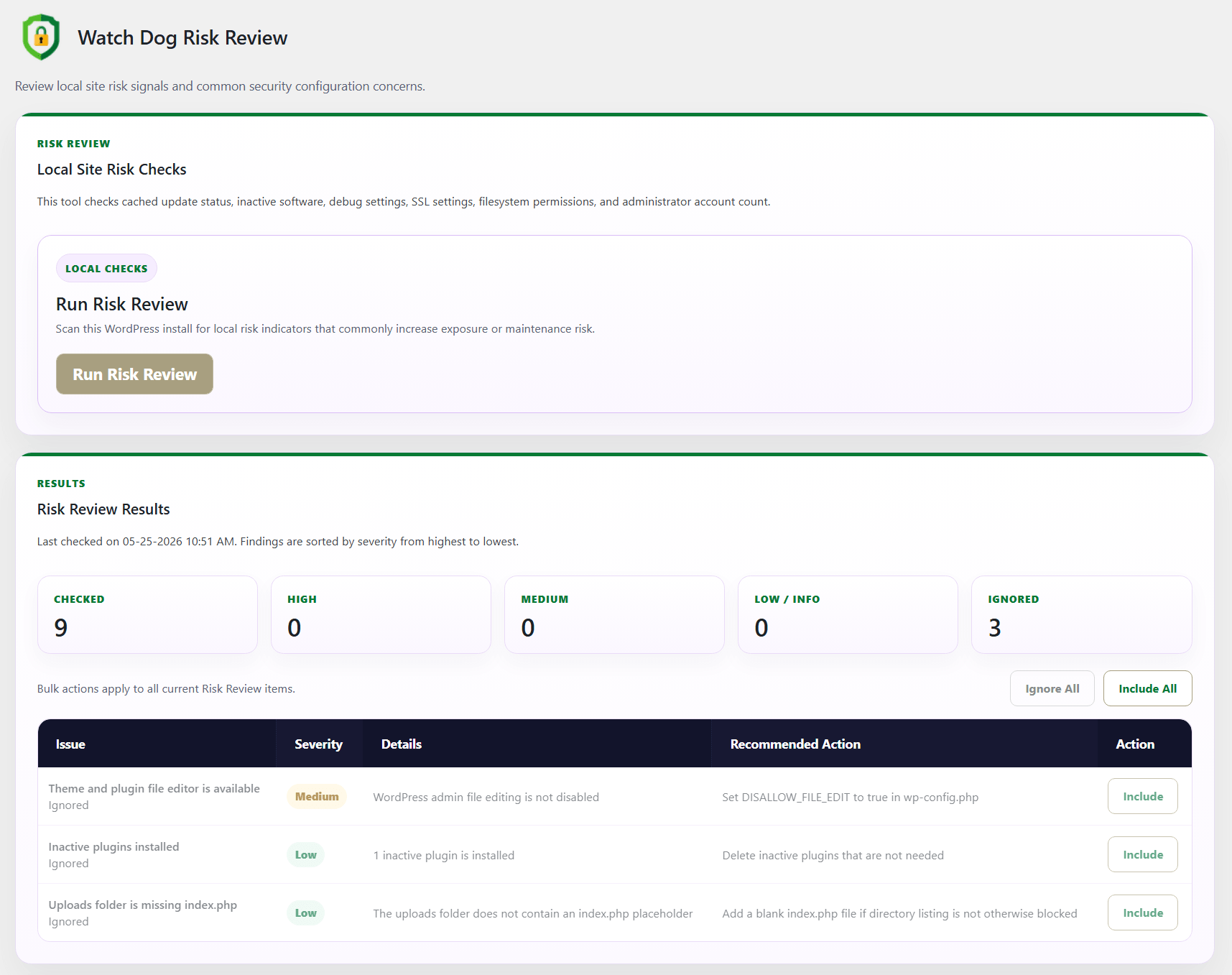
Watch Dog Security Monitor
Watch Dog provides continuous WordPress security monitoring by watching key areas of your site for file changes, core integrity issues, software health concerns, and local risk signals.
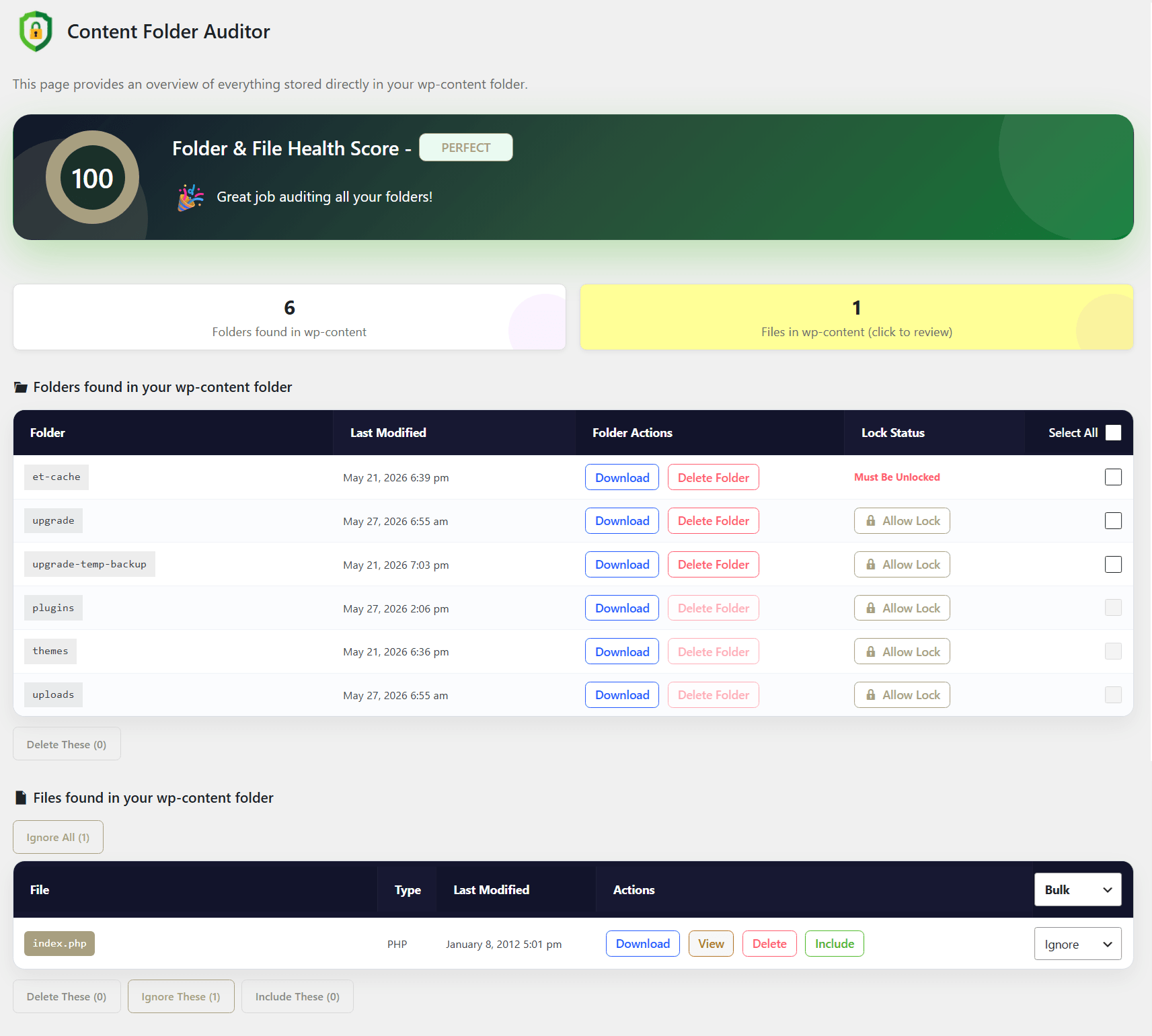
Folder & File Auditor
Reviews the full WordPress installation by examining core directories, plugin and theme locations, and critical files to identify anything that is misplaced, unnecessary, or not properly recognized by WordPress, helping uncover inconsistencies, leftover artifacts, and potential threats that could impact site stability and security.
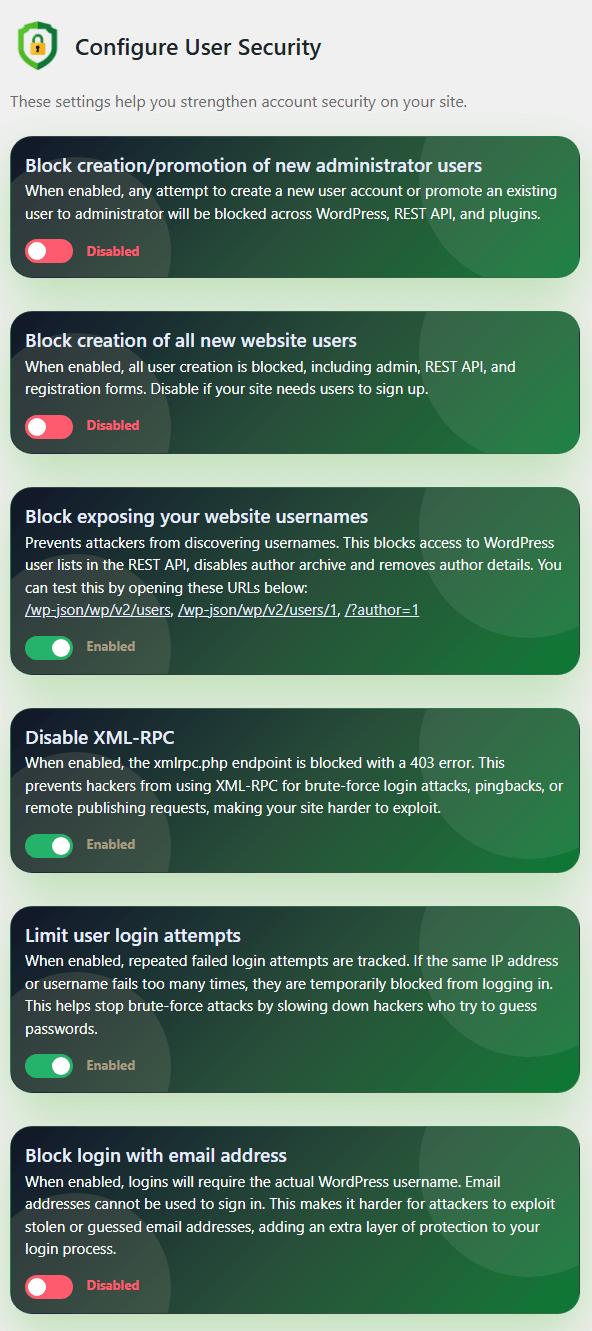
User Security Enhancements
Offers customizable settings to improve WordPress account and login security by minimizing unauthorized access, strengthening authentication requirements, reducing exposure to brute-force attacks, and better protecting user accounts from common credential-based threats.
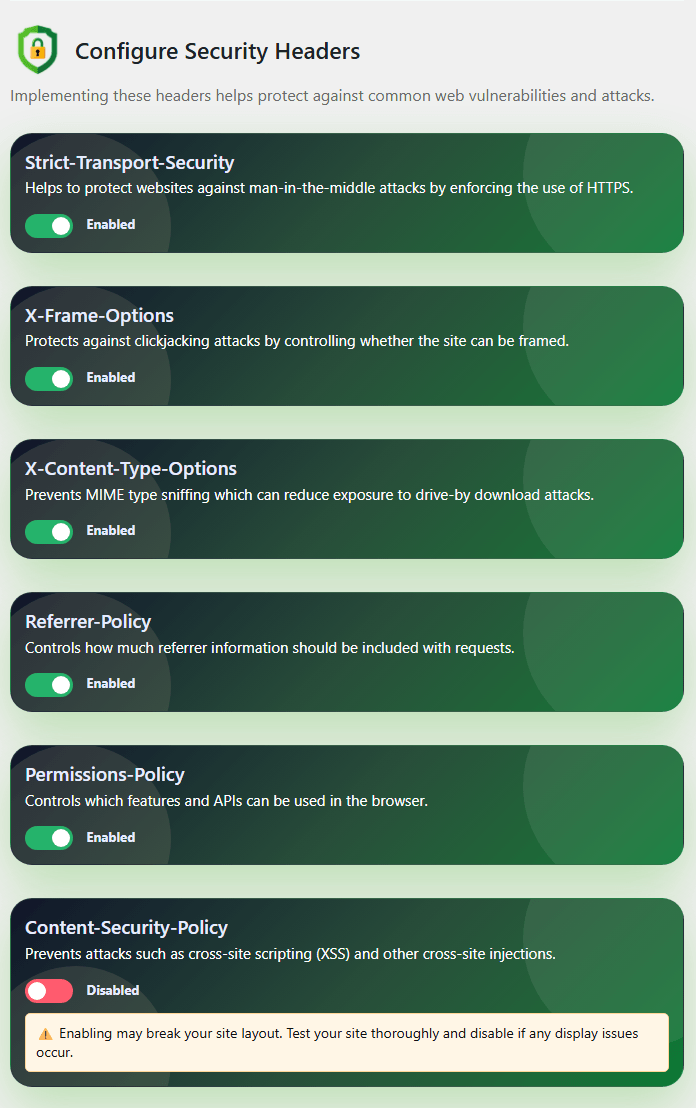
Lock Down Site Headers
Security headers are essential HTTP response headers that strengthen your WordPress site’s defenses by mitigating various web-based attacks and reducing exposure to potential vulnerabilities.
These security headers help protect your WordPress site at the browser level by controlling how content loads, how pages can be embedded, how referrer data is shared, and whether the site must use secure HTTPS connections. Together, they reduce risks from clickjacking, unsafe scripts, MIME sniffing, exposed browser features, and other common web-based attacks.
These security headers help protect your WordPress site at the browser level by controlling how content loads, how pages can be embedded, how referrer data is shared, and whether the site must use secure HTTPS connections. Together, they reduce risks from clickjacking, unsafe scripts, MIME sniffing, exposed browser features, and other common web-based attacks.
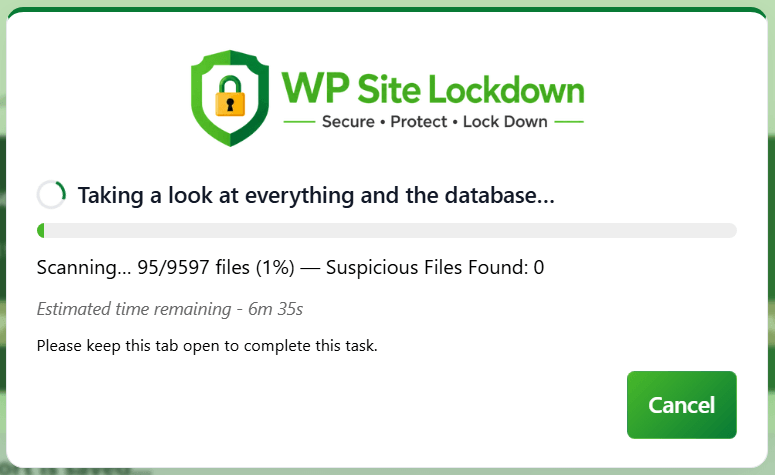
Detailed Infection Scanner
Delivers an in-depth infection scanner that analyzes WordPress core files, plugins, themes, and directories to uncover malware, back doors, suspicious code patterns, and unauthorized changes, enabling early detection of security issues and supporting efficient cleanup and remediation efforts.
By comparing files against known clean baselines and continuously updated threat signatures, the scanner detects both known and emerging attack patterns, even when malicious code is hidden or designed to evade basic checks. It also flags anomalies such as altered core files, unfamiliar admin-level scripts, and writable files in restricted locations common indicators of compromise.
By comparing files against known clean baselines and continuously updated threat signatures, the scanner detects both known and emerging attack patterns, even when malicious code is hidden or designed to evade basic checks. It also flags anomalies such as altered core files, unfamiliar admin-level scripts, and writable files in restricted locations common indicators of compromise.
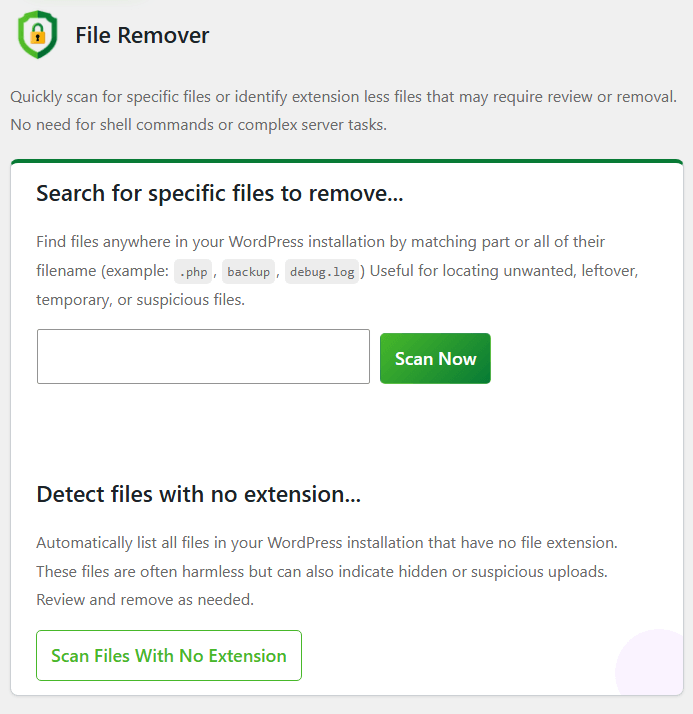
File Remover Tool
An intuitive scanning tool that quickly searches the WordPress installation for specific files, including identifying files without extensions that may signal suspicious or misplaced content, enabling easy review or removal without the need for shell access, command-line knowledge, or complex server operations.
By eliminating the need for shell access, command-line expertise, or complex server operations, the scanner empowers site owners, developers, and support teams to safely inspect and manage files directly from the WordPress dashboard. This streamlines investigation and cleanup workflows, reduces the risk of accidental damage to legitimate files, and allows suspicious or unnecessary files to be quickly isolated, reviewed, and removed with confidence, even in restricted hosting environments.
By eliminating the need for shell access, command-line expertise, or complex server operations, the scanner empowers site owners, developers, and support teams to safely inspect and manage files directly from the WordPress dashboard. This streamlines investigation and cleanup workflows, reduces the risk of accidental damage to legitimate files, and allows suspicious or unnecessary files to be quickly isolated, reviewed, and removed with confidence, even in restricted hosting environments.
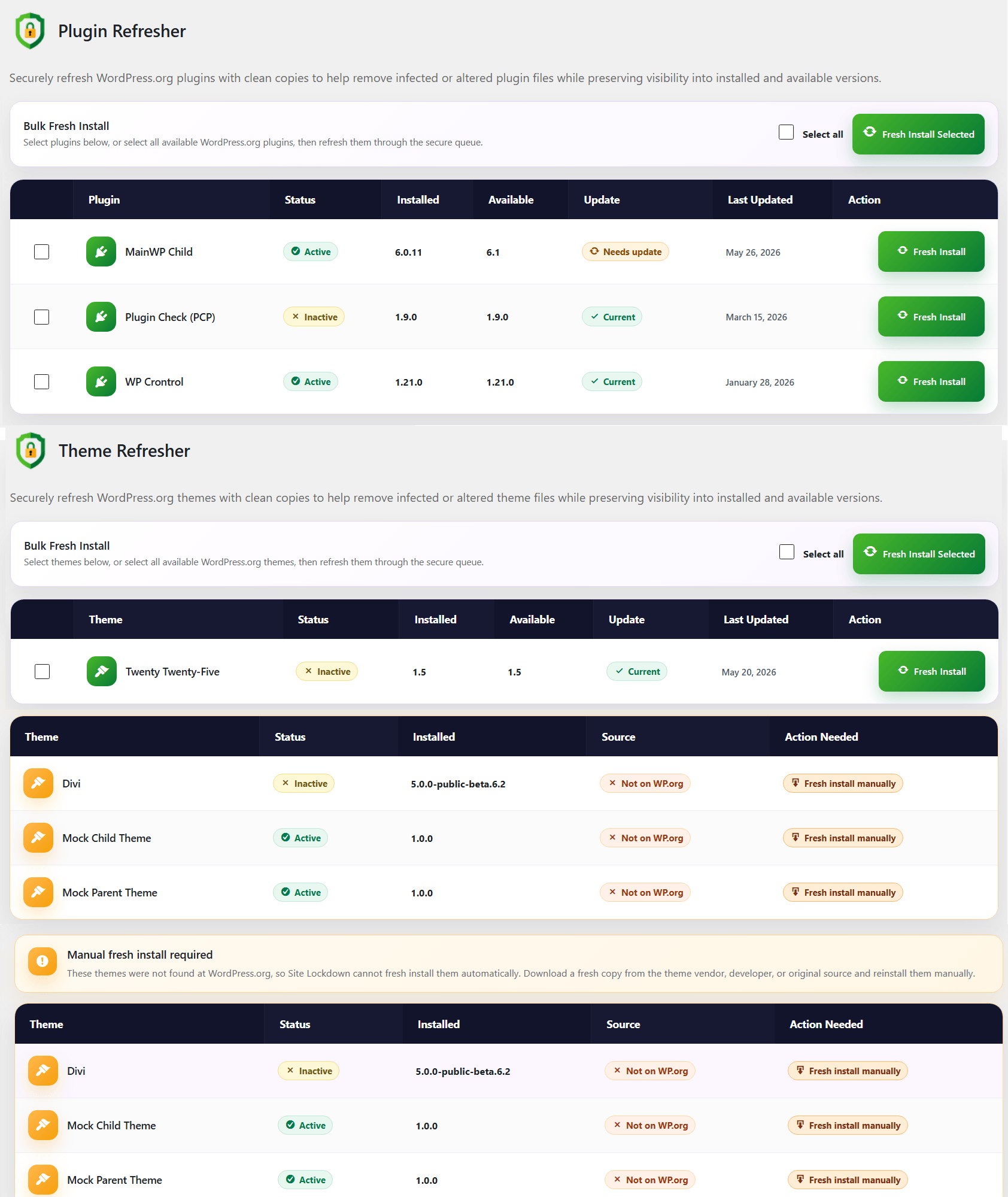
Plugin & Theme Refresher Tool
This tool safely replaces existing plugin or theme files by removing them and reinstalling a clean, verified version directly from WordPress.org, ensuring only official repository files are used.
It helps resolve issues caused by corrupted, modified, or compromised plugins or themes while preserving settings for a fast, low-risk recovery.
It helps resolve issues caused by corrupted, modified, or compromised plugins or themes while preserving settings for a fast, low-risk recovery.
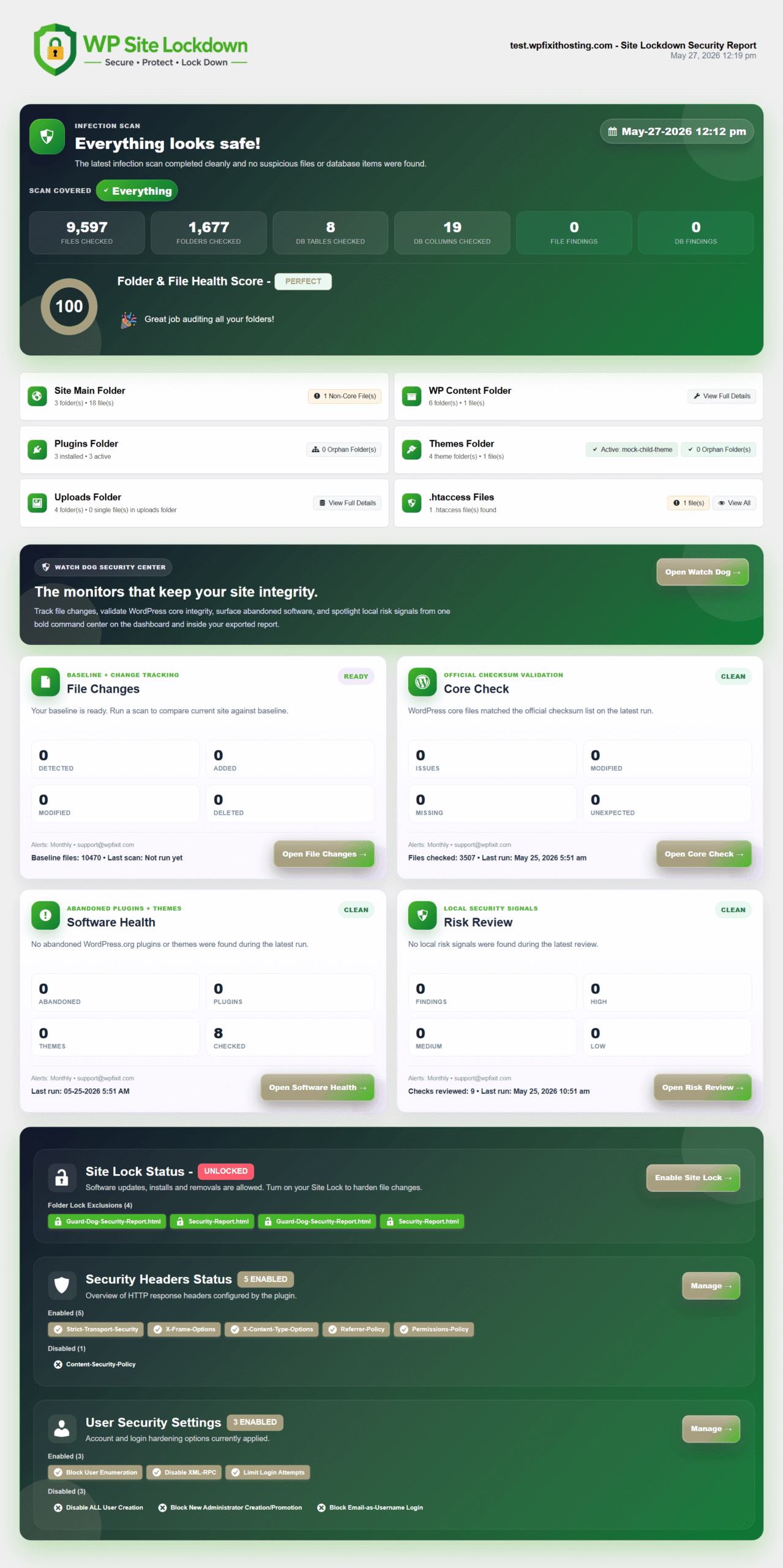
Detailed Security Reports
The security report generated by our Guard Dog Security plugin provides a clear, comprehensive overview of the site’s current security status.
It highlights secured areas alongside vulnerabilities or risks that require attention, making it easy to review, share, and take action.
It highlights secured areas alongside vulnerabilities or risks that require attention, making it easy to review, share, and take action.
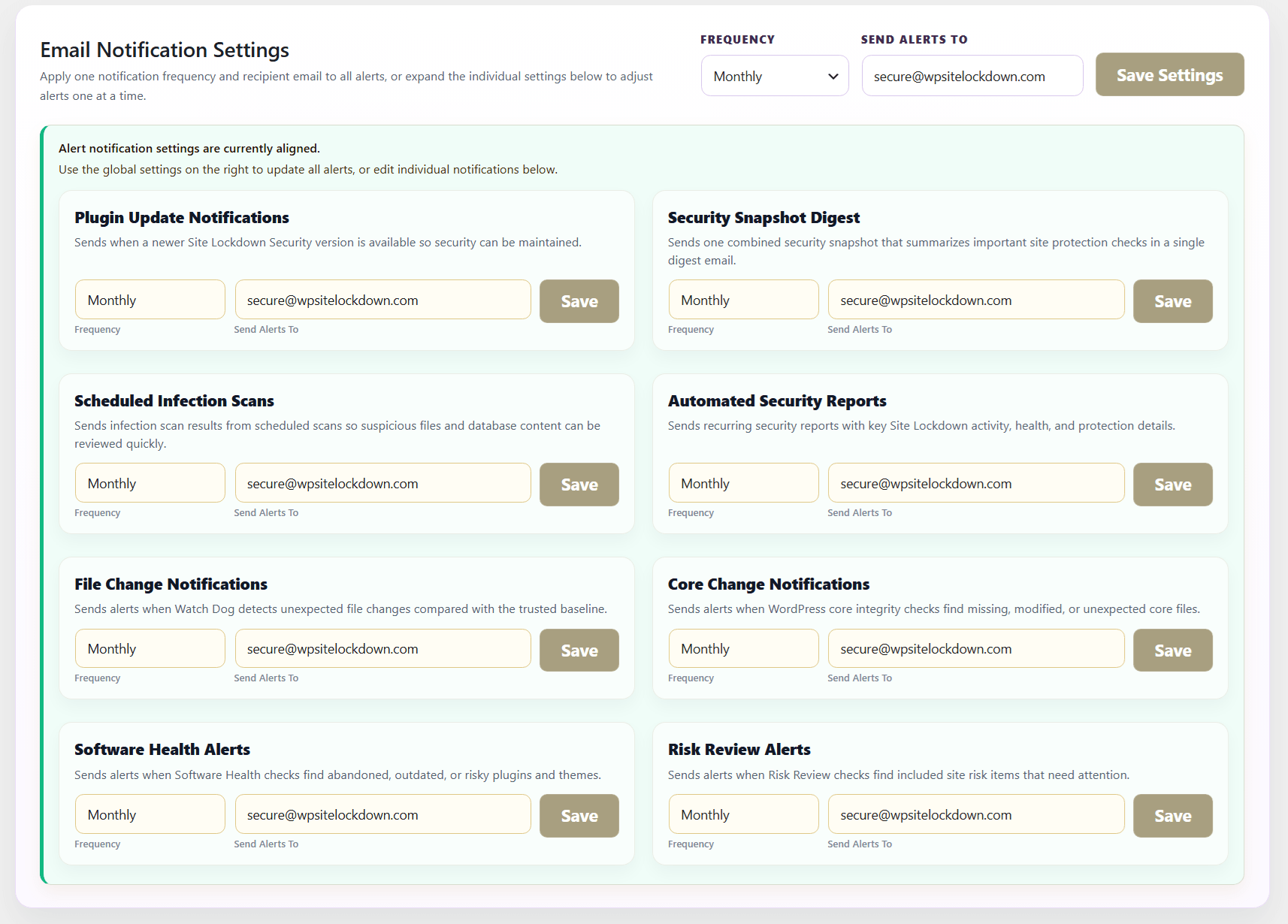
Automated Security Alerts
Automated security email notifications keep you informed about important Site Lockdown activity without needing to manually check the dashboard. You can receive alerts for plugin updates, scheduled infection scans, file changes, WordPress core changes, software health issues, risk review results, and recurring security reports. Each notification can use a global frequency and recipient email, or be adjusted individually so the right alerts go to the right person at the right time.
Your Site… Our Security Technology
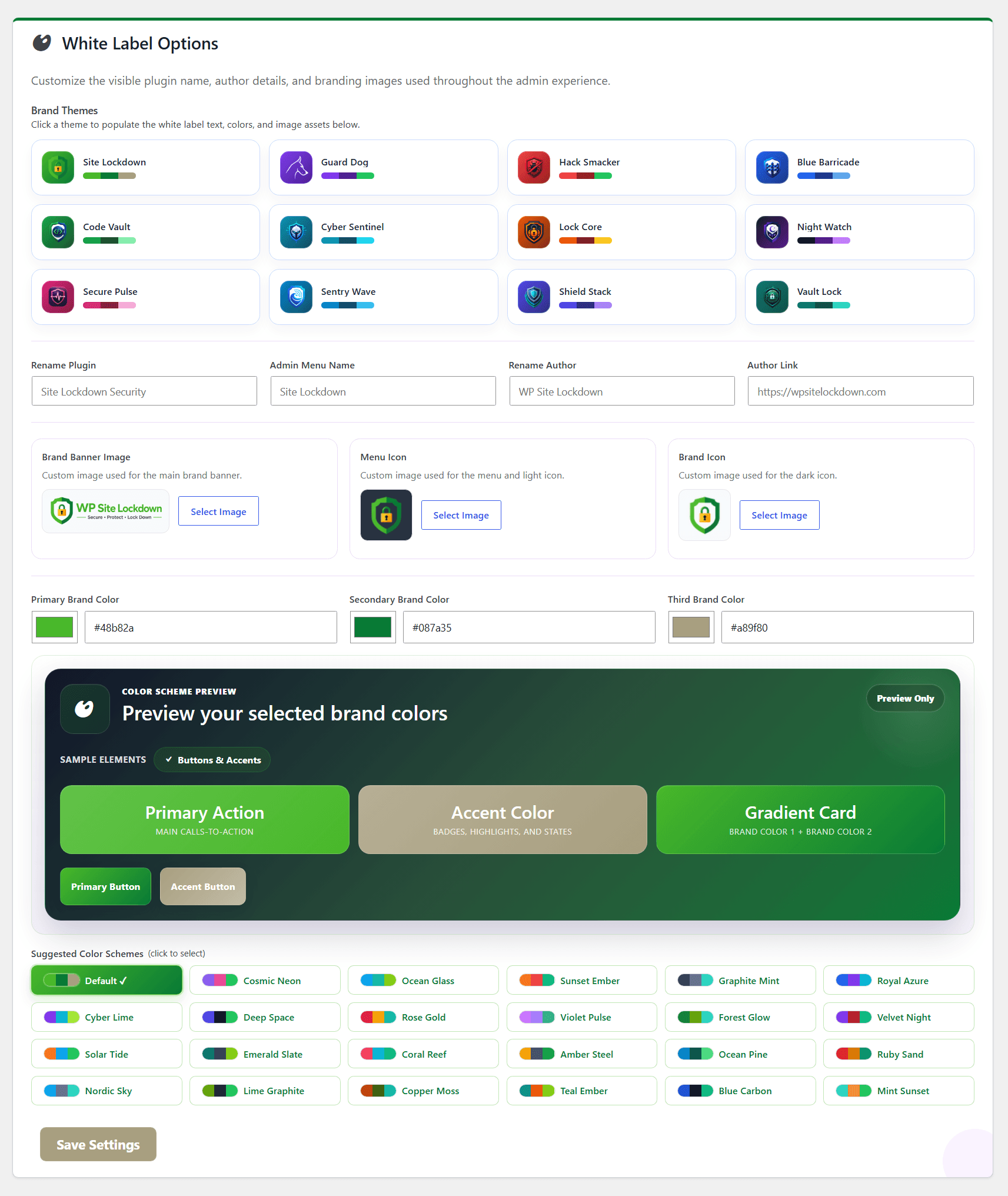
White Label Options give you complete control over how the Site Lockdown Security plugin appears inside WordPress. You can rename the plugin, customize the admin menu name, update author details, replace brand images, upload custom icons, and choose from preset brand themes or custom color schemes. This makes the security experience feel native to your business, agency, or client brand while still keeping the full power of the protection technology in place.
Choose Your WordPress Security Service
Expert WordPress infection specialists perform hands-on cleanup, Site Lockdown setup, security hardening, and infection insurance services to help protect your website.
WE CAN START RIGHT AWAY 24/7
WordPress Malware Removal & Site Lockdown
Complete infection cleanup, security review, and proprietary Site Lockdown protection for hacked WordPress websites.
$137
/per site one time cost
Full Infection Removal & Site Lockdown
PRO SECURITY SETUP
WordPress Site Lockdown Security Setup
We will configure our proprietary Site Lockdown security on your WordPress website, then protect you with expert setup to ensure you have the highest level of security.
$47
/per site one time cost
Full Site Lockdown & Security Hardening