20+ Years WordPress Security Proprietary Site Lockdown Technology
A WordPress security plugin with white label branding is no longer just a nice extra for agencies, developers, support teams, and serious WordPress site owners. It is becoming one of the most practical tools a website can have. WordPress powers business websites, membership platforms, online stores, learning portals, service company sites, blogs, directories, and client projects of every size. That popularity creates opportunity, but it also creates risk. When a WordPress website is not properly monitored, audited, cleaned, and protected, small security issues can quickly turn into serious problems.
That is why Site Lockdown Security was built.
Site Lockdown Security is a WordPress security plugin with white label branding designed to help WordPress administrators audit files, protect important folders, monitor changes, scan for suspicious code, review WordPress core integrity, configure alerts, generate reports, and present the entire security experience under a custom brand. For agencies and WordPress professionals, that last part matters. Security is not only about what happens behind the scenes. It is also about trust, presentation, and showing clients that your service includes a serious protection layer.
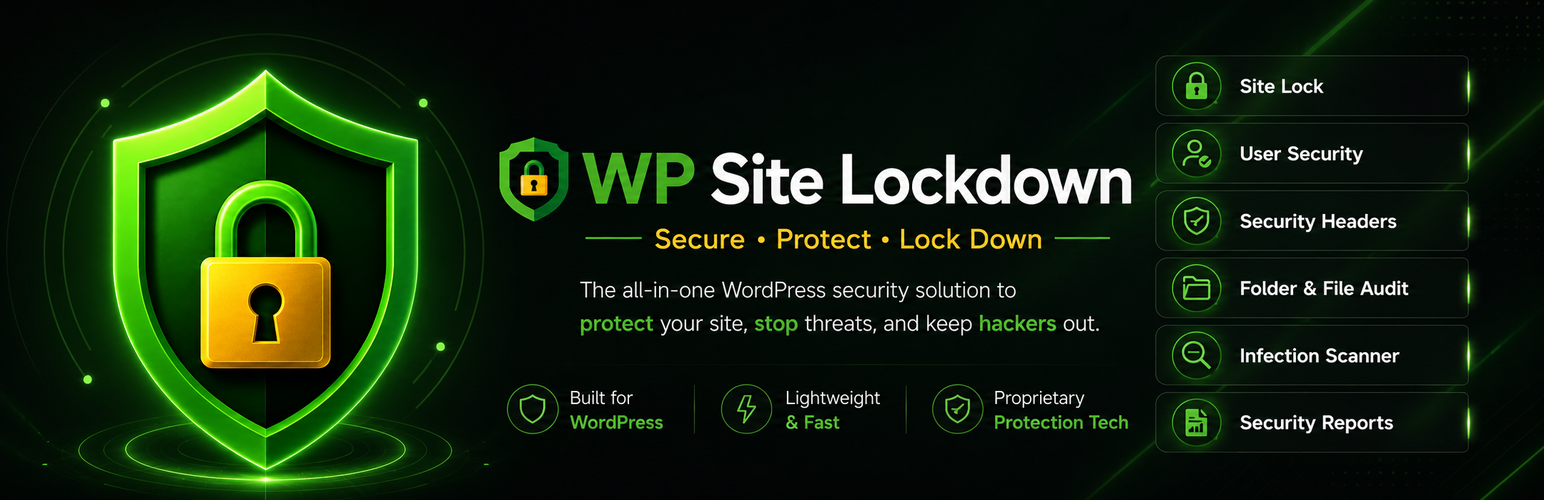
With Site Lockdown Security, you can use one tool to audit, protect, monitor, brand, and secure a WordPress website. The plugin brings together Site Lock protection, Watch Dog monitoring, WordPress core checks, infection scanning, cleanup tools, email notifications, scheduled security reporting, permissions checks, software health checks, risk review tools, and unique white label branding options.
If you manage WordPress websites, the question is not whether security matters. The question is whether you have a clear, repeatable system for seeing what is on the server, detecting what changes, locking down what should not change, and presenting that protection professionally. A WordPress security plugin with white label branding helps solve that problem.
Why WordPress Security Needs More Than Basic Protection
WordPress security is not one single action. It is a layered process. A website can be vulnerable because of outdated software, abandoned plugins, weak file permissions, exposed files, risky uploads, modified core files, leftover folders, suspicious scripts, or unexpected server changes. The official WordPress security hardening guide explains that WordPress security involves reducing risk across multiple areas, not depending on one single setting.
This is exactly where Site Lockdown Security becomes useful. It is not built around one narrow function. It gives administrators multiple ways to review and protect a WordPress site from inside the WordPress dashboard.
A typical WordPress site can accumulate clutter over time. Plugins are installed and removed. Themes are tested and abandoned. Upload folders grow. Backup files may be left behind. Temporary files can remain on the server. Old folders may no longer belong. A developer may make a change and forget to clean up after it. A hacked site may be cleaned but still contain leftover files or hidden backdoors. Without a file auditing and monitoring process, these issues can stay invisible.
Site Lockdown Security helps administrators see what exists, review what looks unusual, and take action only after making an informed decision. That is an important difference. The plugin is not designed to blindly delete files automatically. Instead, it gives you review tools, file actions, downloads, previews, ignore options, approve options, delete options, refresh tools, reports, and monitoring.
For a site owner, this means better visibility. For an agency, it means a more professional security workflow. For a maintenance provider, it means a repeatable process that can be used across client websites. That makes Site Lockdown Security a strong choice for anyone looking for a WordPress security plugin with white label branding.
What Makes Site Lockdown Security Different?
Most WordPress security plugins focus on scanning, firewall rules, login protection, or alerts. Those features can be helpful, but Site Lockdown Security takes a different approach by combining practical server visibility with lockdown protection and branding flexibility.
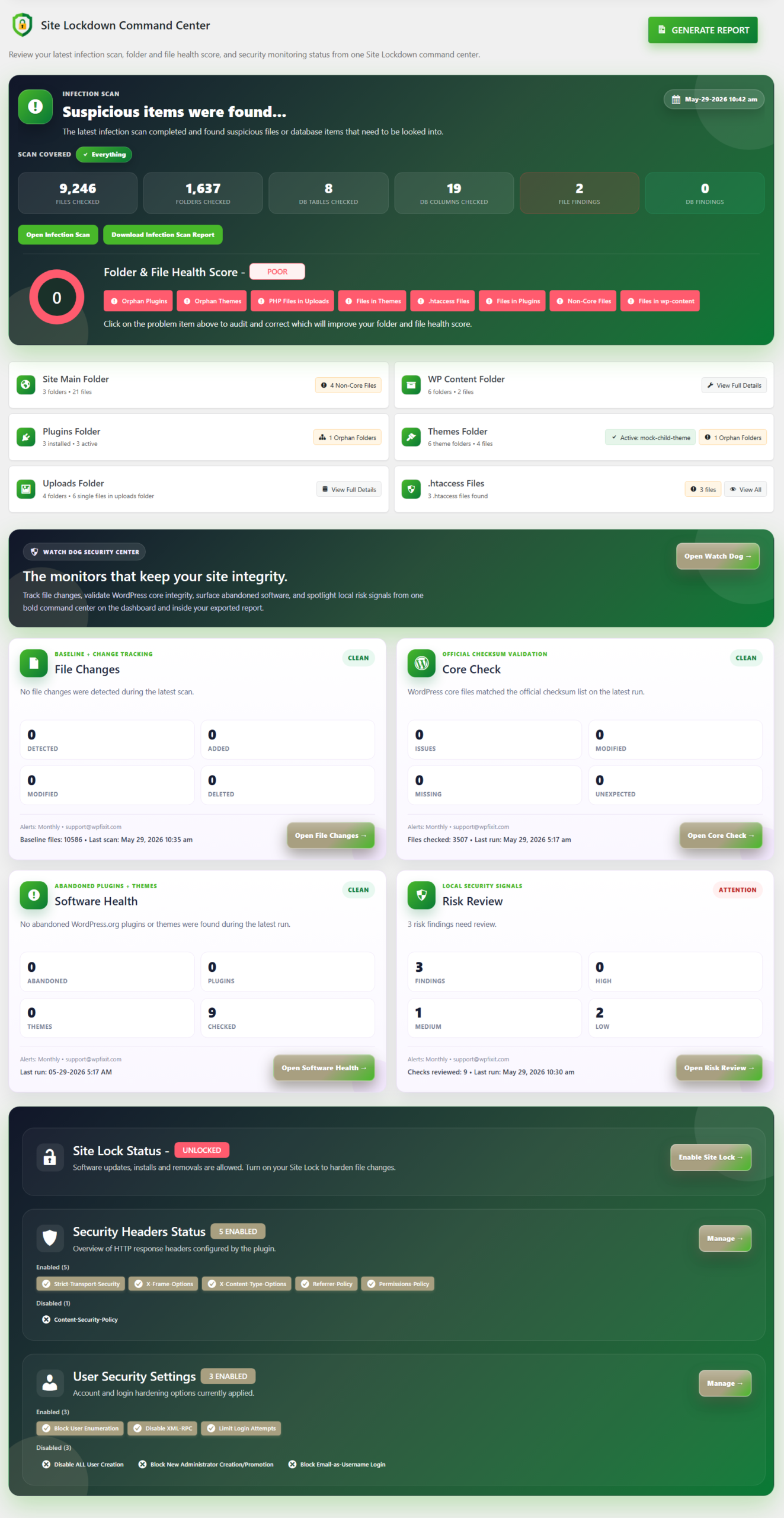
The plugin includes a full set of tools that work together:
- Site Lock protection
- File and folder auditing
- Watch Dog file change monitoring
- WordPress core integrity checks
- Infection scanning
- Scheduled scans
- Automated security reports
- Email notifications
- Plugin refresher tools
- Theme refresher tools
- Permissions checks
- Software health checks
- Risk review checks
- White label branding
- White label import and export
- Branded admin interface
- Setup guidance
This combination makes Site Lockdown Security more than a scanner. It becomes a practical security suite for administrators who want to inspect, harden, monitor, and brand the WordPress security experience.
The built-in white label system is one of the biggest advantages. Agencies, developers, hosting providers, support companies, and maintenance teams can customize plugin branding text, colors, icons, dark icons, banners, email imagery, and presentation. White label settings can also be exported and imported between websites. That means a team managing multiple websites can create one branded security experience and reuse it across installations.
For any business that offers WordPress care plans, cleanup services, hosting, maintenance, malware removal, or security support, a WordPress security plugin with white label branding is a major advantage. It allows the technical work to be packaged as part of your own professional service.
You can learn more about the WP Site Lockdown WordPress security suite and how it helps site owners secure, protect, and lock down their websites.
Site Lock: Protect Important WordPress Files and Folders
One of the core features of Site Lockdown Security is Site Lock. Site Lock helps make selected WordPress files and folders read-only. The goal is to reduce unwanted file additions, unauthorized edits, injected scripts, accidental deletions, and repeat infections after a website has been cleaned or stabilized.
A common problem after malware cleanup is reinfection. A site may be cleaned today, but if the same writable areas remain exposed, malicious files may appear again later. Site Lock helps reduce that risk by locking important parts of the site when updates or maintenance are not being performed.
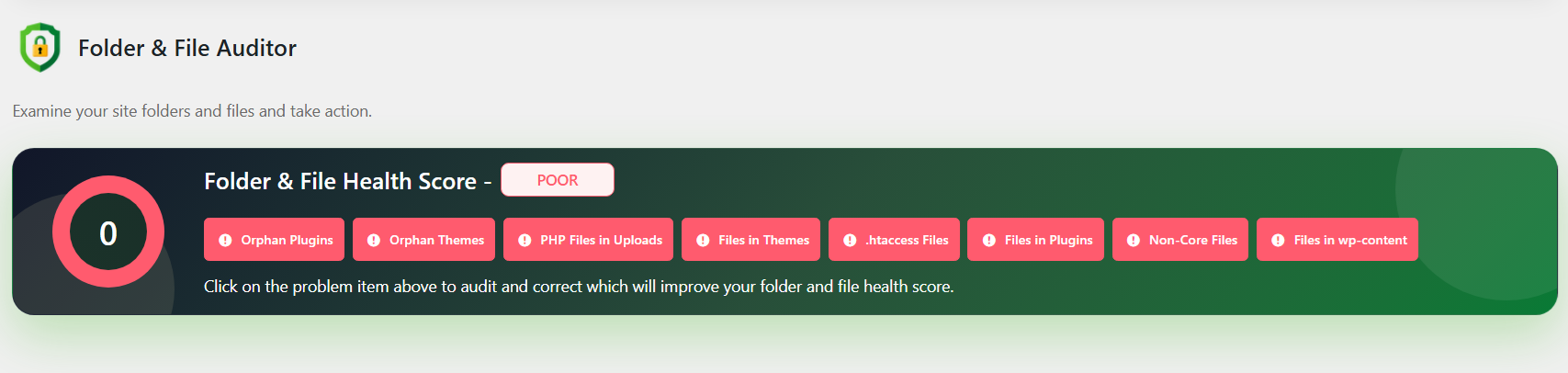
When legitimate work is needed, the site can be unlocked. After updates, cleanup, or maintenance are complete, Site Lock can be applied again. This creates a practical workflow:
- Clean or update the website.
- Audit important folders and files.
- Review suspicious or unwanted items.
- Lock the site when stable.
- Monitor for future changes.
File permissions matter because they control who and what can read, write, modify, and access server files. The official WordPress file permissions documentation explains how permissions affect WordPress functionality and server security. Site Lockdown Security builds on that concept by giving administrators a dashboard-based way to review protection status and control important lock behavior.
This is a major reason Site Lockdown Security works well as a WordPress security plugin with white label branding. It gives service providers a visible protection feature that clients can understand: when the site is stable, lock down the areas that should not change.
Watch Dog File Change Monitoring
Another important part of Site Lockdown Security is Watch Dog. Watch Dog creates a trusted baseline of site files and compares future scans against that baseline. This allows administrators to detect new, modified, and deleted files.
File change monitoring is important because many security incidents involve unexpected changes. A file may be added to uploads. A PHP file may appear in a strange location. A legitimate plugin file may be modified. A core file may be altered. A folder may disappear. Without a baseline comparison, it can be difficult to know what changed and when.
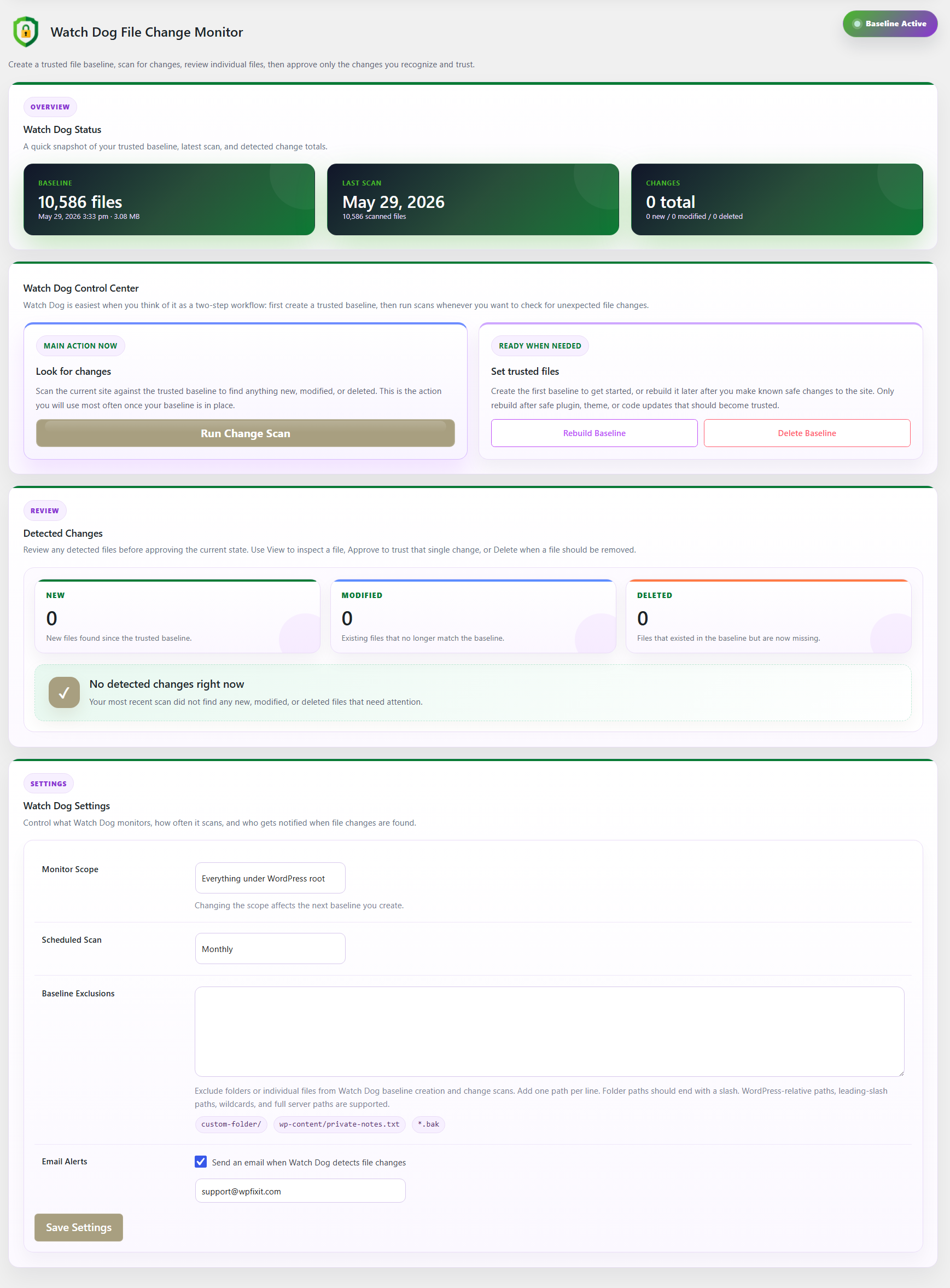
Watch Dog helps answer those questions.
Once a trusted baseline is created, future scans can report differences. Administrators can then review changes after updates, maintenance, cleanup work, or suspicious activity. Watch Dog includes baseline rebuilding, scheduled scans, review actions, and email alerts when changes are detected.
The plugin stores protected baseline data under wp-content/uploads/site-lock/watch-dog/, keeping baseline data outside the plugin folder so it is not removed during plugin updates. This is a practical design choice for ongoing monitoring.
For agencies, Watch Dog adds client value. Instead of saying “we installed security,” you can show that the site has file change monitoring, baseline comparison, and alerting. That is exactly the type of feature that makes a WordPress security plugin with white label branding powerful for professional services.
WordPress Core Integrity Checks
Site Lockdown Security includes Core Check, a tool that compares installed WordPress core files against official WordPress.org checksum data. This helps identify modified, missing, unreadable, or unexpected files in WordPress core areas.
WordPress core integrity matters because core files should match the expected WordPress release files. If core files have been changed unexpectedly, that can indicate a problem. The official WP-CLI WordPress core checksum verification documentation explains how checksum verification compares installed files against WordPress.org checksums.
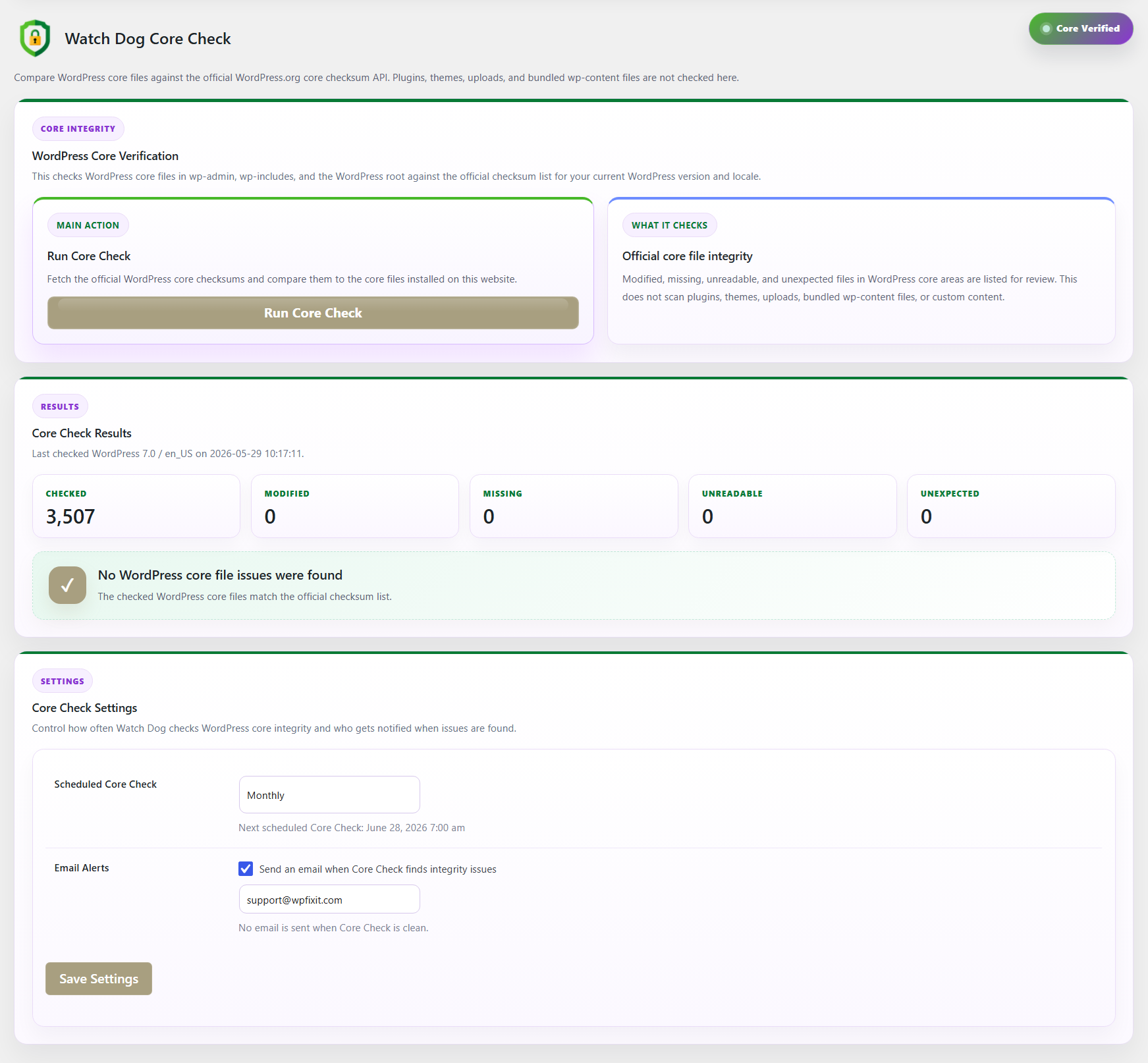
Site Lockdown Security brings similar integrity review into the plugin workflow. Core Check does not scan plugins and themes. It focuses on WordPress core files in the WordPress root, wp-admin, and wp-includes areas. Plugins, themes, uploads, and custom content are reviewed by other tools inside Site Lockdown Security.
This separation is useful because every part of a WordPress site has a different security context. Core files should generally match official WordPress files. Plugin and theme files may need refresh tools. Upload folders need special attention because user-uploaded content can create risk. Custom folders need careful review.
By including Core Check, Site Lockdown Security gives administrators another layer of visibility. A WordPress security plugin with white label branding should not only look professional; it should also include practical checks that help administrators make better decisions.
Infection Scanning for Suspicious Files
Site Lockdown Security includes an infection scanner that reviews site files for suspicious patterns commonly associated with malware, backdoors, obfuscated scripts, spam injections, and unwanted code. Scans can be run manually or scheduled, and results can be included in reports and notifications.
Malware detection is an important part of WordPress security, but it is not the only part. A scanner can help identify suspicious content, but site owners also need auditing, lockdown protection, file change monitoring, core checks, permission review, and alerting. That is why the plugin combines scanning with other tools.
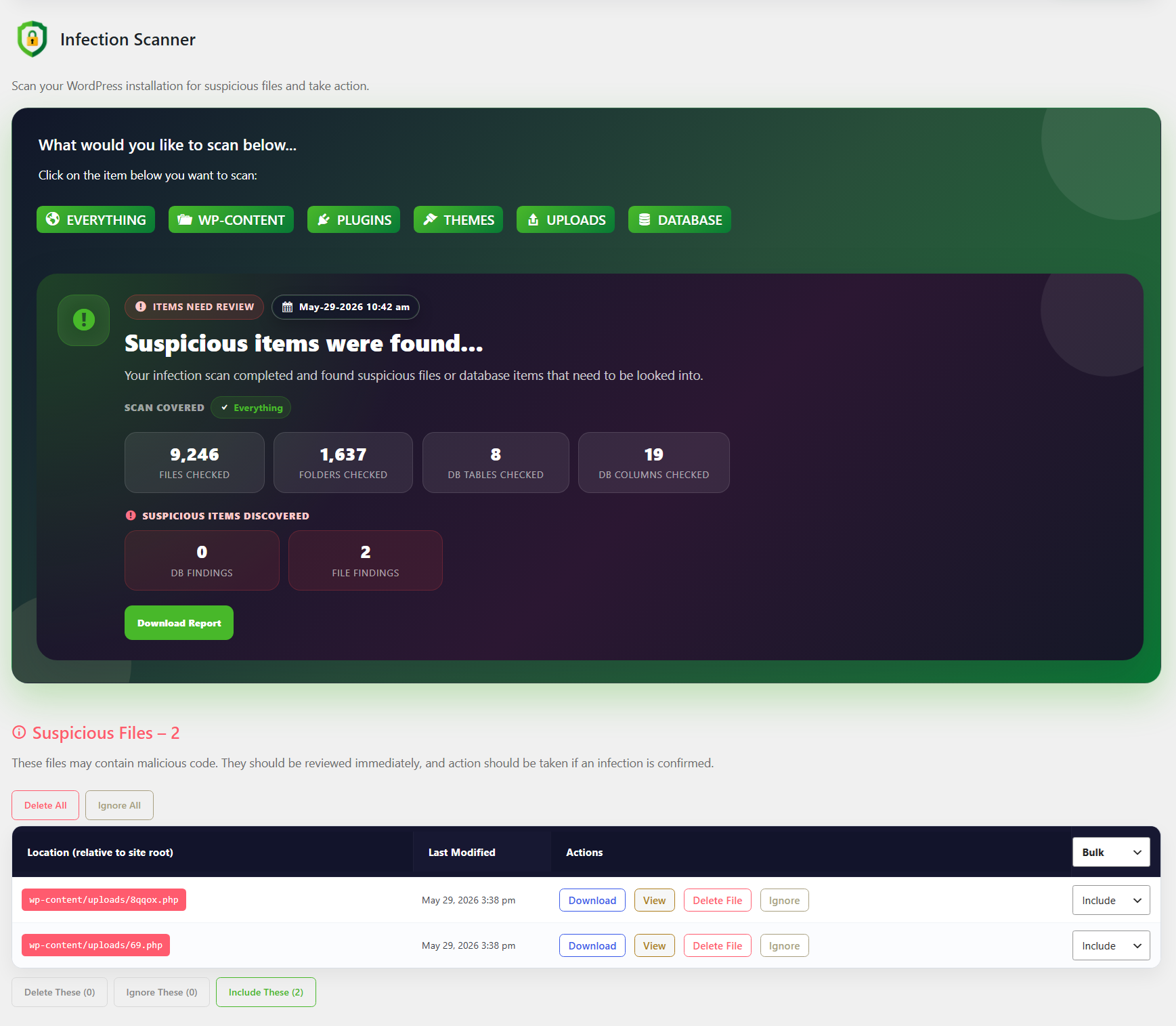
Uploads deserve special attention. File upload functionality can create serious security risk when dangerous files are allowed or when uploaded content can be executed. The OWASP file upload security cheat sheet explains common risks related to malicious files and unsafe upload handling. WordPress websites often rely heavily on uploads, media files, forms, plugin-generated files, backups, and temporary content, so upload visibility is important.
Site Lockdown Security helps review old uploads, suspicious scripts, temporary files, leftover content, and other items that may create clutter or risk. Combined with Site Lock and Watch Dog, this makes the plugin useful before and after cleanup.
For service providers, infection scanning also strengthens the value of using a WordPress security plugin with white label branding. You can provide clients with branded security reports, scheduled scans, and a more complete protection story.
Email Notifications and Scheduled Security Reports
Security becomes more useful when administrators are informed. Site Lockdown Security includes configurable email alerts for important events and scheduled checks.
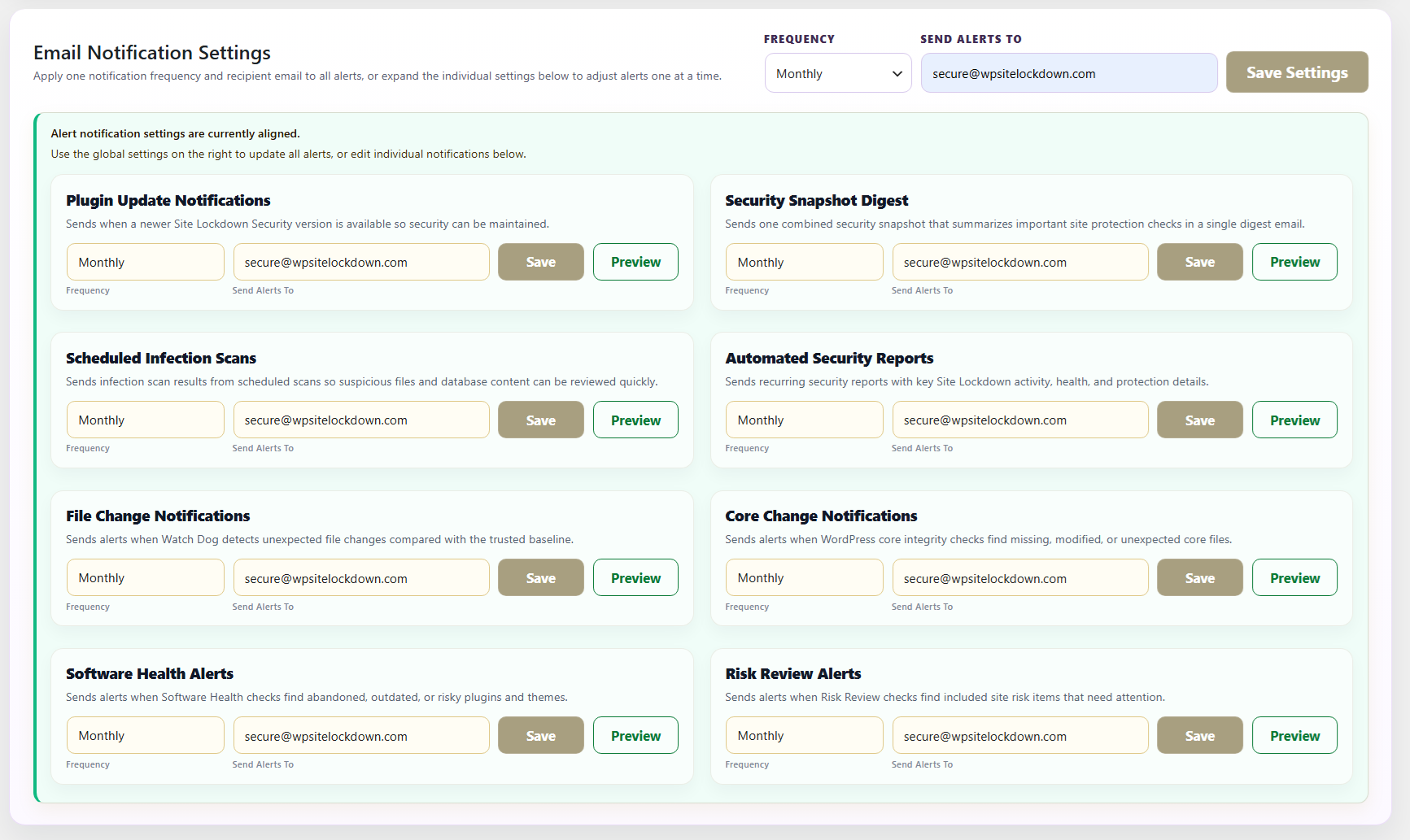
Supported notification types include:
- Plugin update notification
- Security snapshot digest
- Scheduled infection scan
- Automated security report
- File change notification
- Core change notification
- Software health alert
- Risk review alert
Each alert type includes preview options so administrators can review the email layout before using it. The global email notification settings form allows administrators to set default frequency and recipient email settings.
For agencies, this is especially useful. Branded email notifications help reinforce your service value. Clients do not just get a technical tool buried in the dashboard. They can receive branded security communication that looks aligned with your company.
This is where white label branding becomes more than cosmetic. A WordPress security plugin with white label branding allows security communication to match the provider’s identity. That creates a more consistent experience for the client.
If you are building a WordPress care plan, maintenance plan, hosting service, or security service, branded security reports and alerts can help show ongoing value. Site Lockdown Security gives you the foundation to do that without building your own plugin from scratch.
White Label Branding for Agencies and Support Teams
White Label Branding is one of the standout features of Site Lockdown Security. Many WordPress security plugins focus on scanning, firewalls, or alerts, but they do not let agencies fully customize the plugin experience. Site Lockdown Security does.
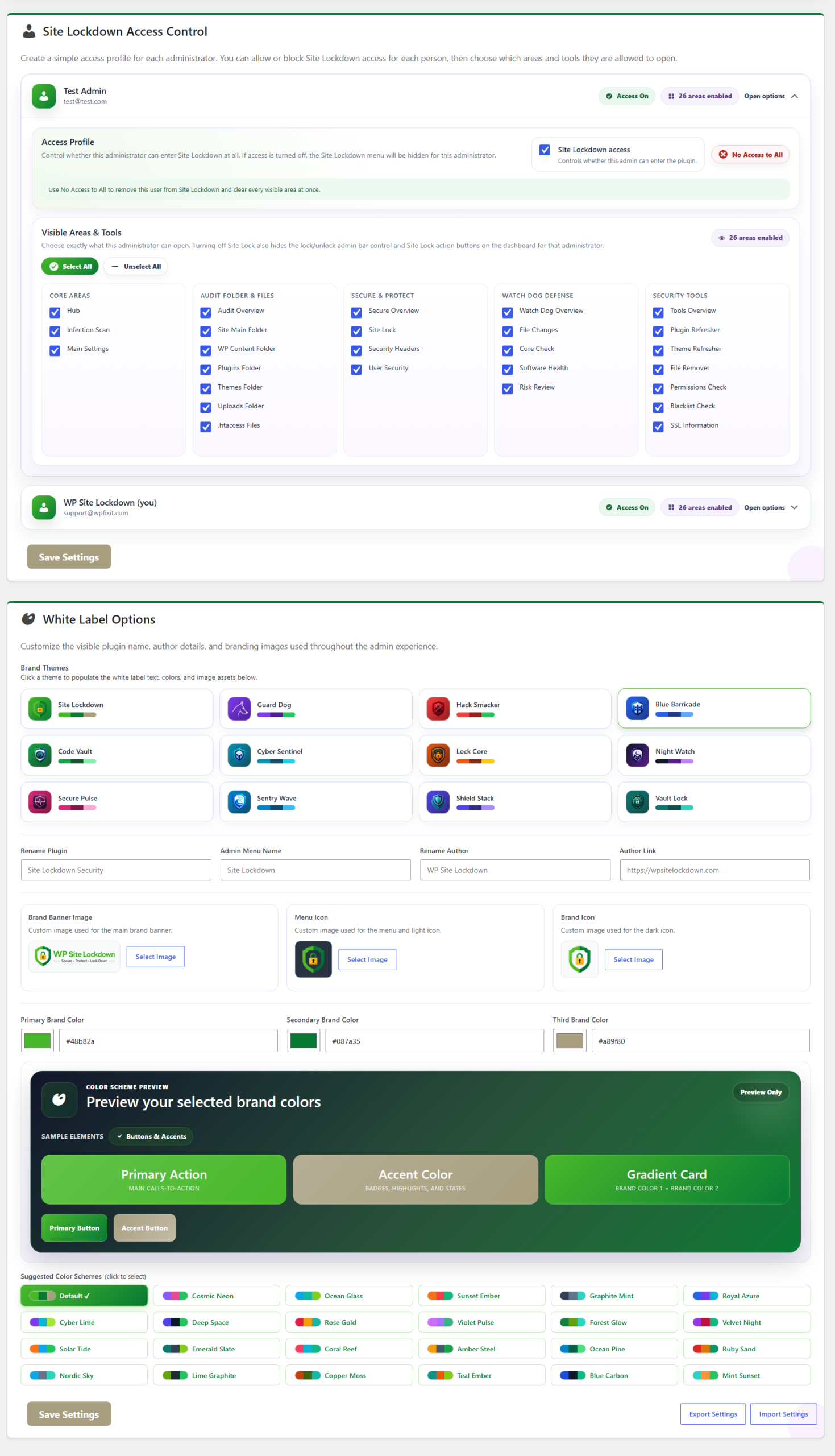
Administrators can customize:
- Plugin branding text
- Brand colors
- Icons
- Dark icons
- Banners
- Email imagery
- Plugin presentation
White label settings can be exported to a JSON file and imported into another website. This makes it easier to reuse the same branding across multiple installations. For agencies managing client websites, this can save time and create a consistent branded experience.
Imagine installing a security tool on every client site and having it display your company colors, your icons, your banners, your email graphics, and your branded security language. That is a better client experience than showing a generic third-party plugin name everywhere.
This is why a WordPress security plugin with white label branding is so valuable. It allows the security dashboard to become part of your own service offering. Clients see your brand connected with security, monitoring, reports, and protection.
For developers and maintenance providers, this can also create a stronger business model. You can include the plugin as part of a branded WordPress security setup, cleanup package, maintenance plan, or ongoing monitoring service.
Explore the white label WordPress security branding from WP Site Lockdown to see how branded protection can fit into your service workflow.
Plugin Refresher and Theme Refresher
Site Lockdown Security also includes Plugin Refresher and Theme Refresher tools. These tools help reinstall fresh copies of WordPress.org plugins and themes.
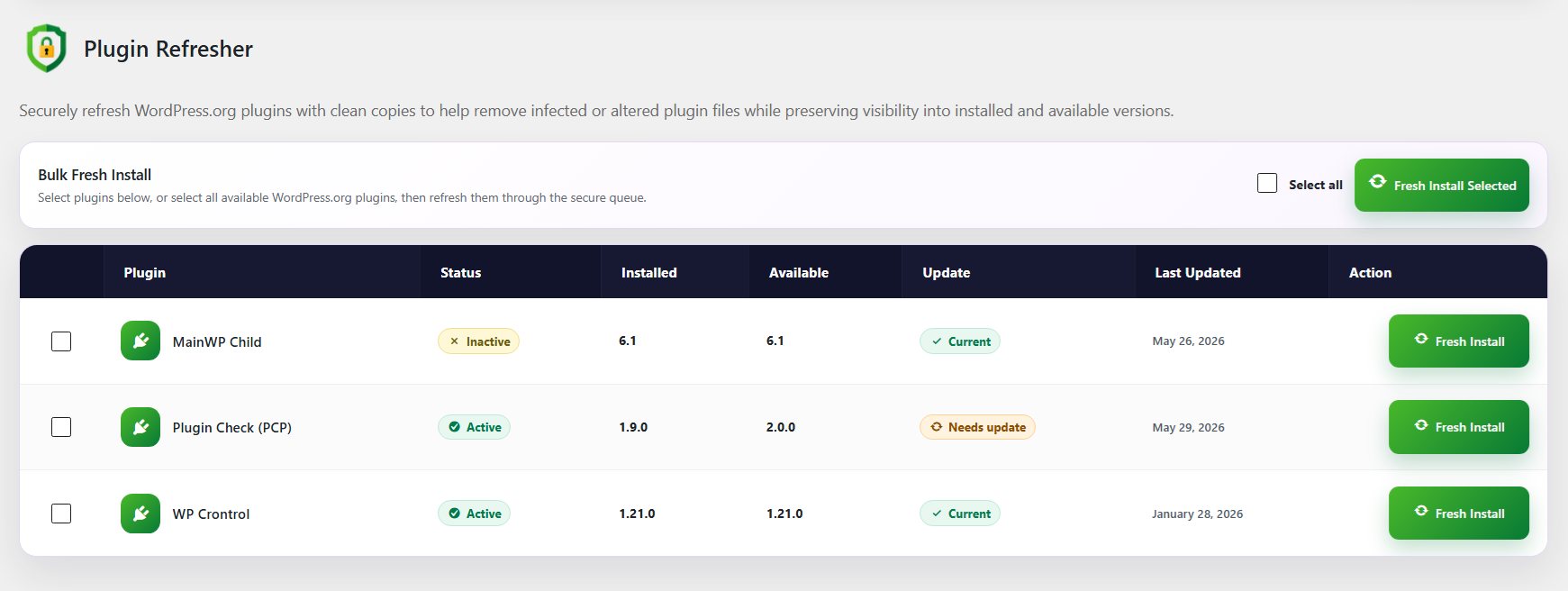
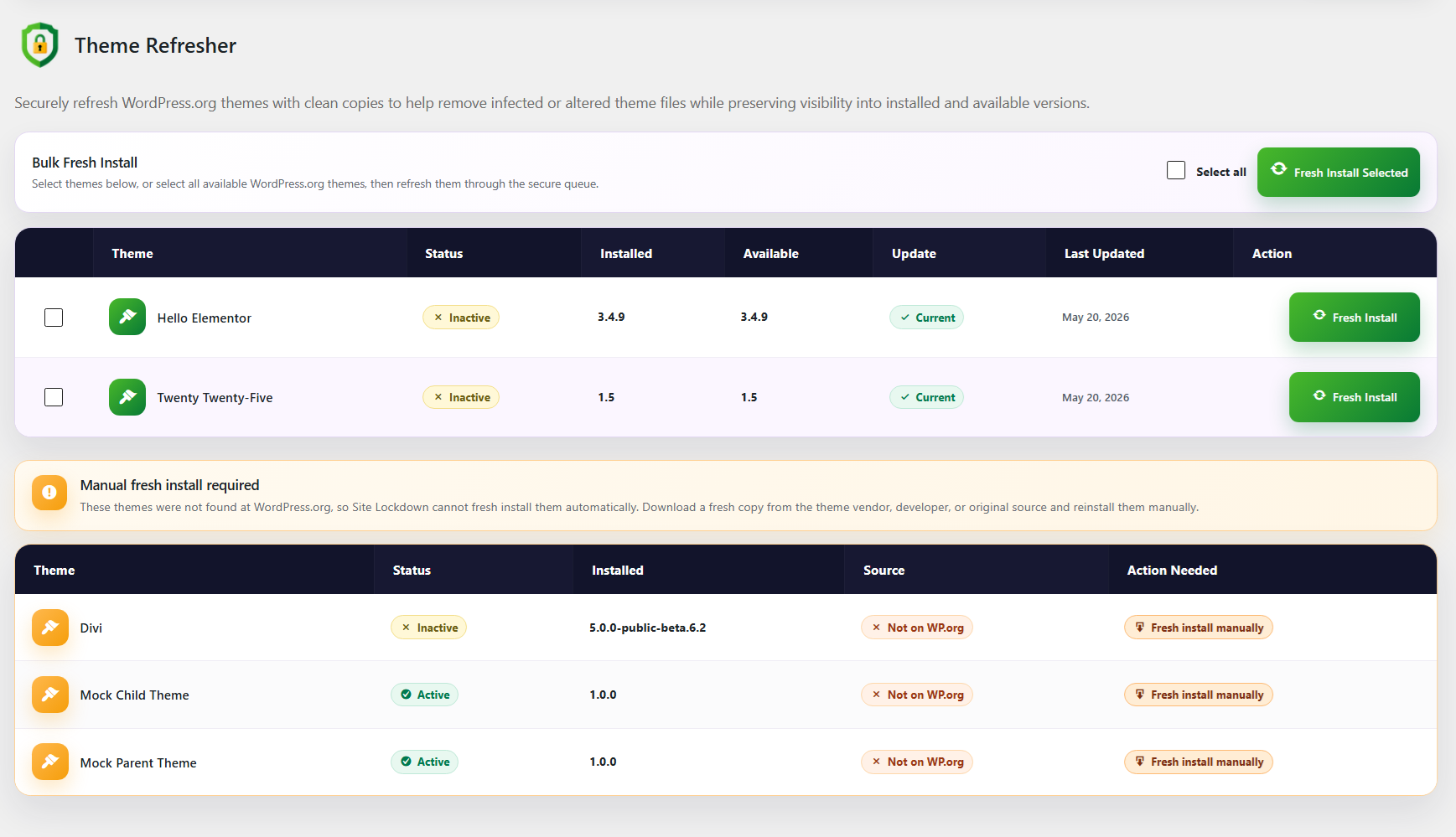
This can be useful when a plugin or theme may have been modified, corrupted, or affected by suspicious files. Instead of manually replacing files through FTP, administrators can use cleaner workflows that rely on native WordPress upgrade handling.
Plugin Refresher supports individual and bulk plugin refreshes. Theme Refresher supports individual and bulk theme refreshes, version information, update status, and WordPress.org availability detection.
This matters because not every suspicious issue requires manual editing. Sometimes the safest path is to reinstall a clean copy of a known WordPress.org plugin or theme. Site Lockdown Security gives administrators tools to support that workflow.
A WordPress security plugin with white label branding should help agencies handle real-world cleanup and maintenance tasks. Plugin Refresher and Theme Refresher are practical tools for that purpose.
Permissions Check, Software Health, and Risk Review
Security is not only about malware files. It is also about configuration and risk signals. Site Lockdown Security includes several tools that help administrators review important site conditions.
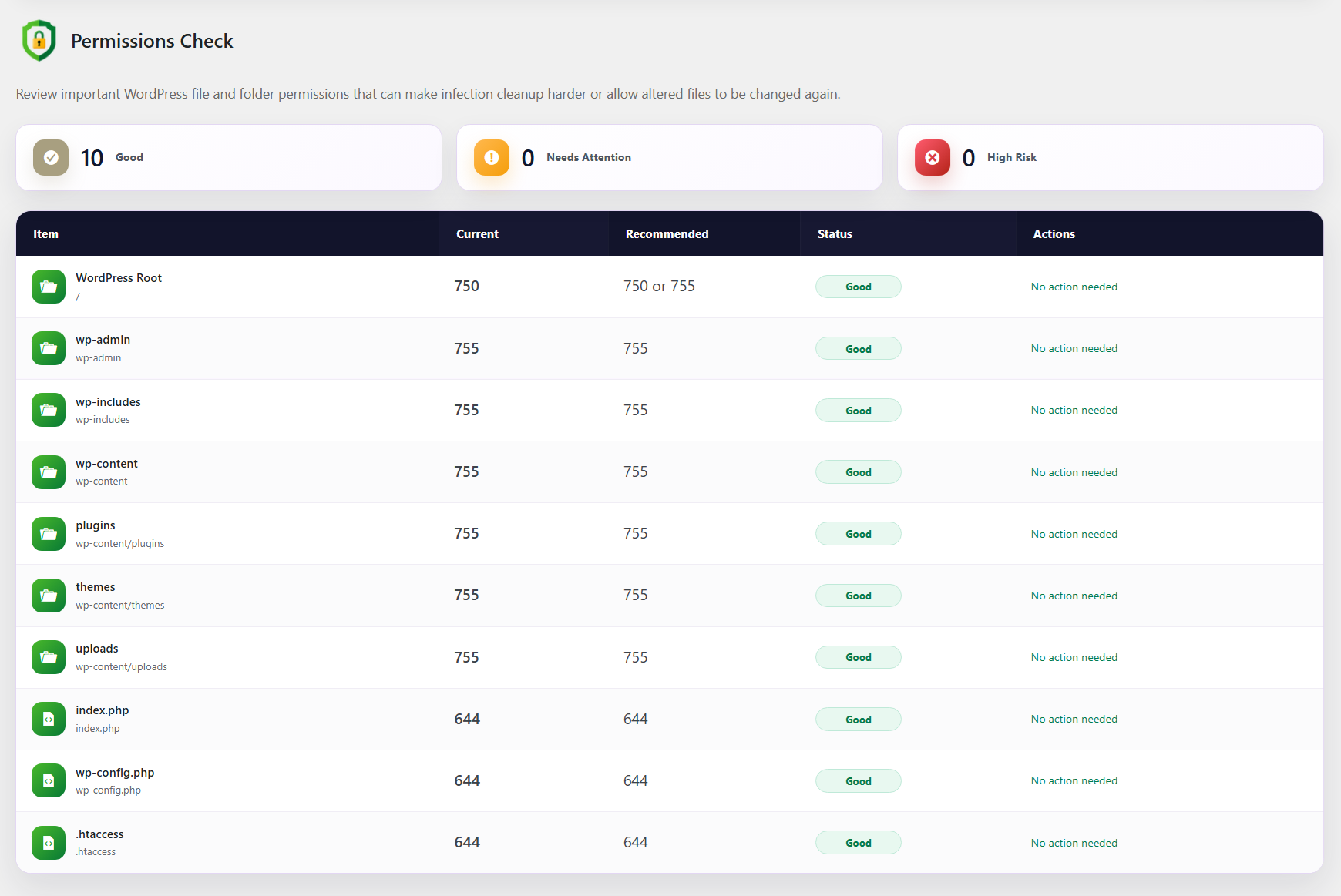
Permissions Check reviews important WordPress files and folders and compares current permissions against recommended values. It helps identify writable files, risky permissions, and items that may need attention. When Site Lock protects a file or folder, permission results account for that protected status.
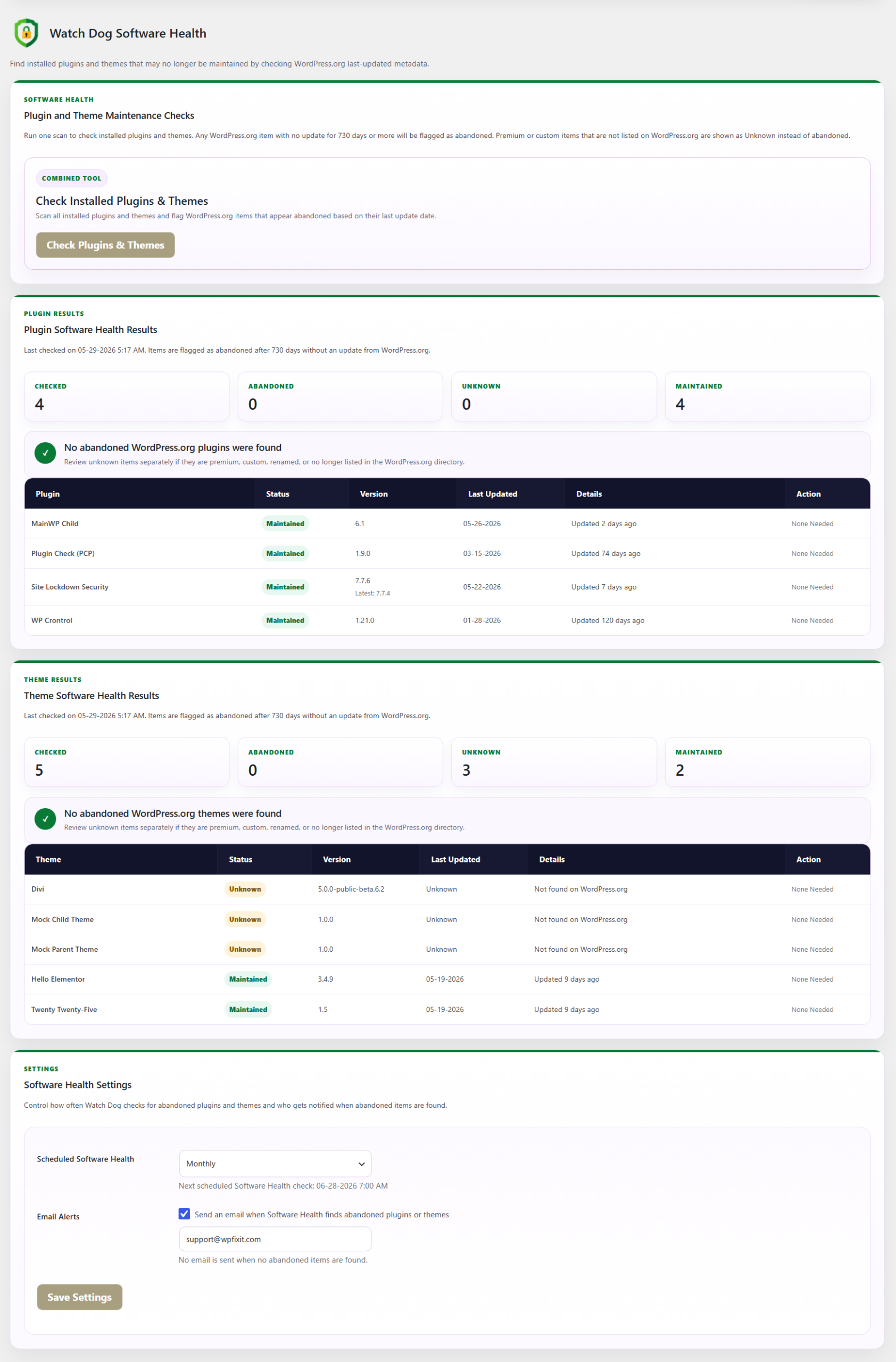
Software Health checks installed plugins and themes for maintenance signals that may indicate abandoned or outdated software. This helps administrators identify items that may need updates, replacement, removal, or closer review.
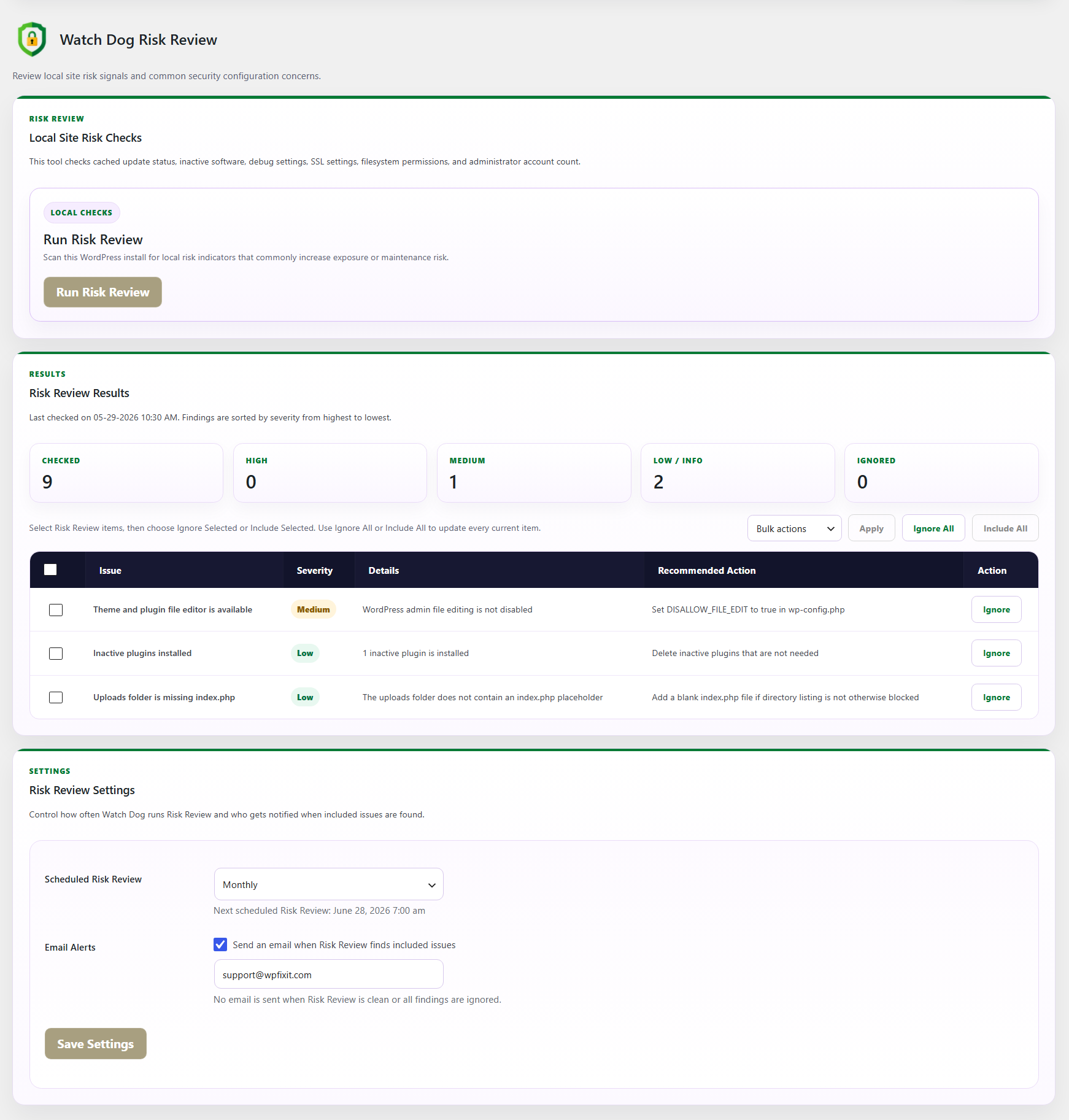
Risk Review checks local site risk signals and common security configuration concerns. It includes severity sorting, ignore and include controls, scheduled checks, and optional email alerts.
These tools give administrators a broader view of site health. Instead of only scanning for malware, Site Lockdown Security helps identify weak points, abandoned software, unexpected changes, risky permissions, and common local risks.
The official WordPress security documentation emphasizes keeping WordPress core, plugins, and themes updated as an important part of WordPress security. Site Lockdown Security supports that mindset by helping administrators identify software health concerns and risky local conditions.
This makes it a useful WordPress security plugin with white label branding for ongoing maintenance, not just emergency cleanup.
Setup Guide for Recommended Protection
Site Lockdown Security includes a Setup Guide that helps administrators complete recommended protection steps. Setup items include Site Lock, scheduled infection scans, automated reports, file change baselines, file change notifications, core change notifications, software health alerts, and risk review alerts.
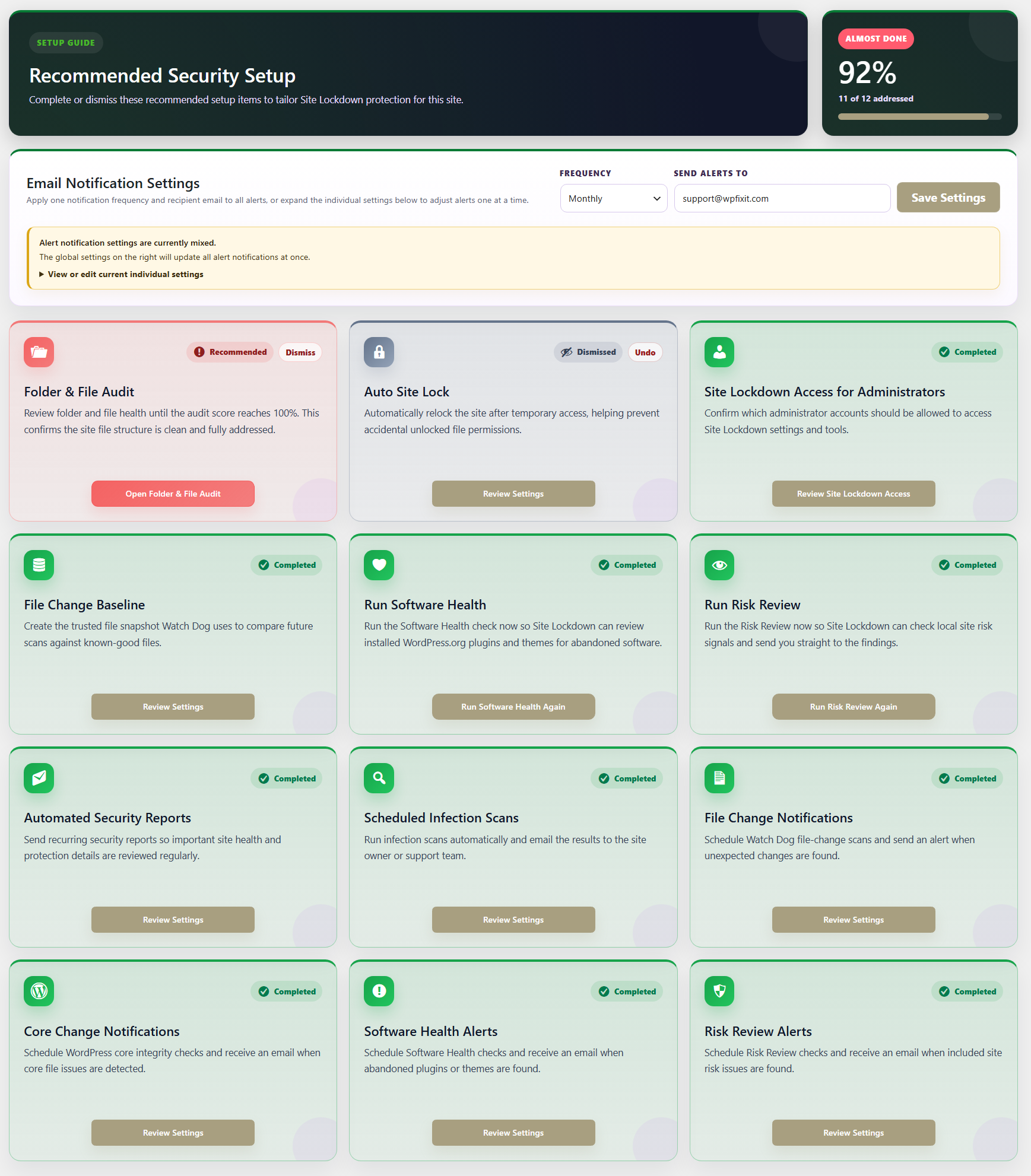
Progress tracking helps administrators see which recommended protection steps are complete.
This is useful because many site owners do not know where to begin. A plugin can include powerful features, but if users do not configure them, protection remains incomplete. The Setup Guide gives administrators a structured path.
For agencies, this can also be used as an internal checklist. When onboarding a new client website, you can install the plugin, follow the setup guide, configure alerts, create baselines, review risk signals, and apply Site Lock once the site is stable.
A WordPress security plugin with white label branding becomes even more valuable when it includes guided setup, because it makes protection easier to standardize across multiple sites.
Why Site Lockdown Security Is a Strong Fit for Agencies
Agencies and WordPress professionals need security tools that do more than run in the background. They need tools that support workflow, reporting, trust, client communication, and brand consistency.
Site Lockdown Security is a strong fit for agencies because it includes:
- White label branding
- White label import and export
- Custom colors and imagery
- Branded email notification previews
- Automated security reports
- File auditing tools
- Infection scanning
- Site Lock protection
- Watch Dog monitoring
- Core integrity checks
- Software health review
- Risk review
- Setup progress tracking
This makes the plugin useful for client onboarding, malware cleanup follow-up, WordPress maintenance plans, hosting support, security retainers, and agency-branded protection services.
A generic plugin can protect a site, but it does not help your brand. A WordPress security plugin with white label branding allows your agency to provide security under your own identity. That can improve client trust and make your service feel more complete.
If your agency manages multiple WordPress websites, you can use WP Site Lockdown branded WordPress protection as part of your standard security stack.
Why Site Owners Should Install It
Even if you do not manage client websites, Site Lockdown Security is useful for individual WordPress site owners. A business owner may not know which folders belong on the server, whether files changed unexpectedly, whether old uploads are risky, whether a core file was modified, or whether a plugin folder was left behind.
Site Lockdown Security helps make those issues visible.
A site owner can use it to:
- Audit important folders
- Review leftover files
- Scan for suspicious code
- Lock important files and folders
- Monitor file changes
- Check WordPress core integrity
- Receive alerts
- Generate reports
- Review permissions
- Identify abandoned software
- Complete recommended setup steps
That kind of visibility is valuable. You cannot protect what you cannot see. Site Lockdown Security helps bring server-level concerns into a more understandable WordPress admin interface.
For business websites, the cost of a security issue can be much higher than the time it takes to install and configure protection. A WordPress security plugin with white label branding may sound like an agency-focused tool, but the core security features are useful for any serious WordPress website.
A Practical WordPress Security Workflow
Here is a practical workflow for using Site Lockdown Security:
First, install the plugin and open the Site Lockdown dashboard. Review the command center and become familiar with the main areas.
Second, run folder and file audits. Look at the WordPress root, wp-content folder, plugins folder, themes folder, uploads folder, and .htaccess files.
Third, run infection scanning. Review suspicious files and database findings carefully. Download, preview, ignore, approve, or delete only after confirming what the item is.
Fourth, run Core Check. Compare WordPress core files against official checksum data and review any modified, missing, unreadable, or unexpected files.
Fifth, create a Watch Dog baseline once the site is clean and stable. This gives you a trusted reference point for future file change scans.
Sixth, configure email notifications and scheduled reports. This helps you stay informed when important changes or risks appear.
Seventh, configure white label branding if you are an agency, developer, support provider, or maintenance company. Export those branding settings if you want to reuse them across multiple client websites.
Eighth, apply Site Lock when the site is stable. Unlock when maintenance is needed, then lock again when work is complete.
This workflow turns Site Lockdown Security into more than a plugin. It becomes a repeatable WordPress security process.
Final Thoughts
Site Lockdown Security is a practical WordPress security plugin with white label branding for WordPress administrators, agencies, developers, maintenance providers, support teams, and business website owners who want better visibility and stronger protection.
It combines file auditing, Site Lock protection, Watch Dog file change monitoring, WordPress core integrity checks, infection scanning, cleanup tools, setup guidance, email alerts, scheduled security reporting, software health checks, risk review, and white label branding into one WordPress security suite.
The white label features make it especially powerful for professionals who want to present security under their own brand. The Site Lock, Watch Dog, infection scanning, and reporting features make it useful for ongoing protection and cleanup follow-up. The setup guide and alerts make it easier to turn security into a repeatable process.
WordPress security should not be confusing, invisible, or difficult to explain to clients. Site Lockdown Security helps make it visible, manageable, and brandable.
If you are ready to audit, protect, monitor, brand, and secure your WordPress website, visit the Site Lockdown Security WordPress protection platform and start building a stronger security workflow today.